

A search engine optimization checker is a piece of software that scans a website and reports on the factors that affect how well it ranks in search results. It looks at the technical setup, the on-page content, and the signals that search engines use to decide whether a page deserves to appear for a given query. It's a diagnostic tool: it doesn't fix anything by itself, but it tells you exactly where the problems are so you can fix them.
Most checkers pull data from a few places. They crawl your site the way a search engine would, following links and reading the HTML. They check things like page titles, meta descriptions, heading structure, image alt text, and internal linking. They also look at technical health: page speed, mobile friendliness, broken links, duplicate content, and whether pages are being indexed at all. Some checkers connect to Google Search Console or other data sources to show you how real users are finding the site.
It's worth being precise about the terminology, because people use these terms interchangeably and they aren't the same thing. A checker is usually a quick diagnostic: you enter a URL and get a score or a list of issues. An seo audit tool goes deeper, running a full crawl and producing a prioritized report with recommendations. A rank tracker does something different entirely: it monitors where your pages rank for specific keywords over time. A good website seo checker will often combine elements of all three, but the core job is the same: show you what's working, what's broken, and what to fix next.
For a site owner or marketer, that distinction matters because it changes what you expect from the tool. A checker gives you a snapshot. An audit tool gives you a plan. And a rank tracker gives you a trend line. Serfix bundles these together in one platform, but understanding the difference helps you read the output correctly.
Key Takeaways
- A search engine optimization checker runs a structured audit across on-page, technical, and off-page factors, then flags the specific issues holding a site back.
- The most useful SEO audit tool output is a prioritized fix list, not a raw score. Focus on crawlability, indexation, and page-level relevance first.
- Run a full audit after any major site change, and a lighter technical check monthly. Rankings shift slowly, but broken pages and redirect chains compound quickly.
- Automation changes the workflow. Serfix pulls live Search Console data and runs technical checks in one pass, so teams spend less time assembling reports and more time fixing problems.
The Core Checks Every SEO Audit Should Run

A search engine optimization checker is only as good as the checks it runs. Most tools bundle dozens of tests, but the ones that actually move rankings fall into two buckets: on-page elements you control directly, and technical signals that determine whether Google can even read your pages. Here are the checks that matter most, and why each one deserves your attention.
| Check | What it examines | Why it matters |
|---|---|---|
| Title tags | Length, keyword placement, uniqueness across pages | Truncated or duplicate titles waste the strongest on-page ranking signal you control |
| Meta descriptions | Length, relevance, presence of target terms | They don't directly affect rankings, but a clear description lifts click-through rate, which does |
| Heading structure | H1 count, hierarchy order, keyword use in H2s and H3s | Google uses headings to parse page structure and topic relevance |
| Crawlability | Robots.txt rules, XML sitemap coverage, crawl errors | If crawlers can't reach a page, it can't rank, period |
| Indexation | Pages blocked by noindex, orphan pages, canonical conflicts | Pages sitting outside the index get zero organic traffic |
| Page speed | Core Web Vitals, server response time, render-blocking resources | Slow pages get abandoned, and Google's ranking systems notice |
| Mobile usability | Viewport configuration, tap target sizes, font legibility | Google indexes the mobile version of your site first |
| Internal linking | Orphan pages, broken links, anchor text distribution | Internal links pass authority and tell Google which pages matter most |
Run these checks in order. Title tags and headings tell you whether a page is optimized for the right query. Crawlability and indexation tell you whether that optimization can be seen at all. Page speed and mobile usability determine whether visitors stick around once they arrive. Internal linking ties the whole site together, which is why a website seo checker that skips link analysis gives you an incomplete picture.
Most audits surface dozens of minor issues. Focus on the ones in this table first. A single missing H1 or a noindex tag on a money page does more damage than twenty low-priority warnings combined.
Reading the Results: What the Numbers Actually Mean
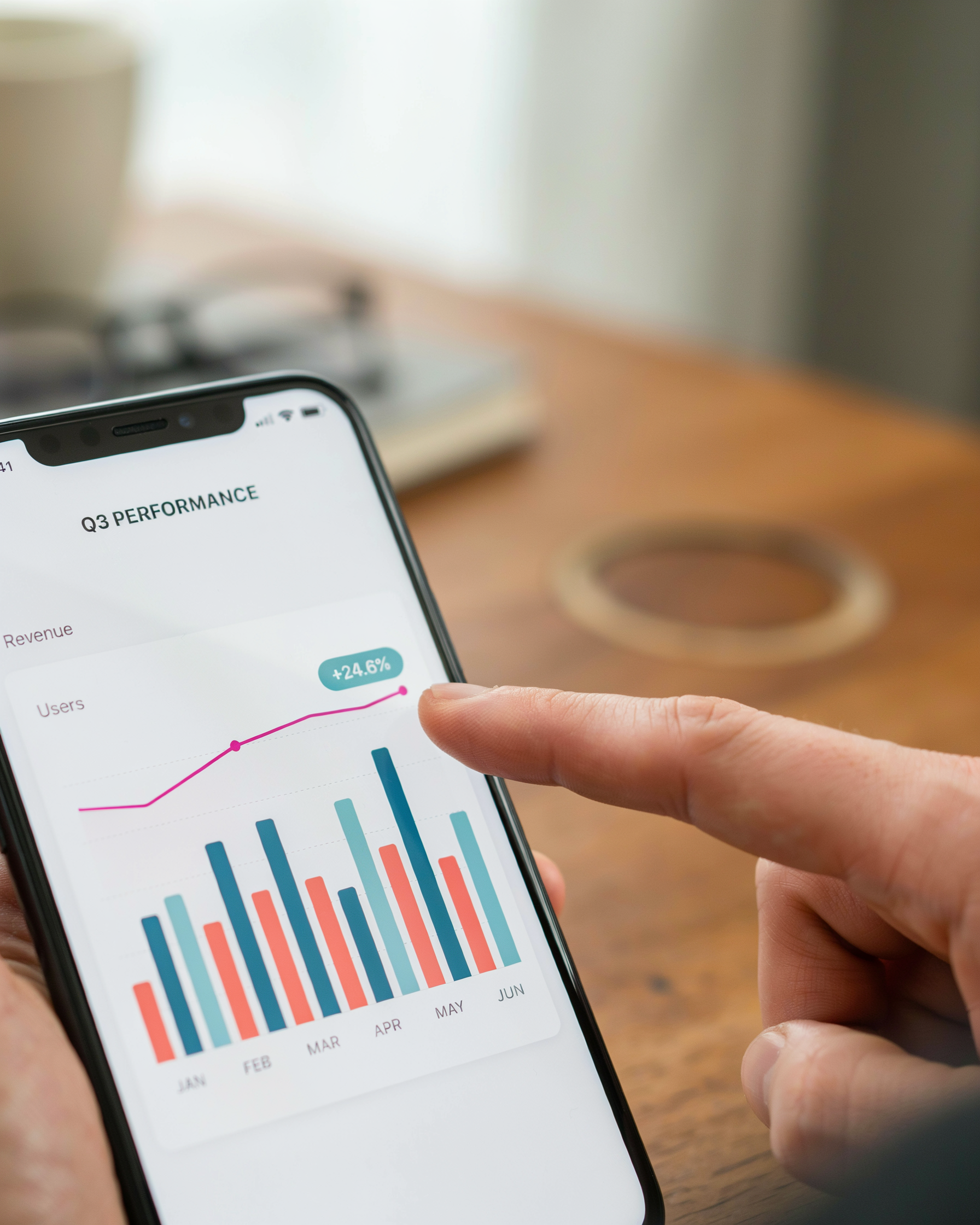
Most SEO audit tools attach a score to each page, usually on a 0 to 100 scale. A 100 looks great in a dashboard screenshot, but it rarely reflects reality. The score is a weighted average of checks the tool knows how to run, and different tools weight those checks differently. One SEO optimization tool may dock points for a missing meta description, while another ignores that entirely and focuses on Core Web Vitals. The number is a starting point, not a verdict.
Severity levels matter more than the total. Most checkers label issues as errors, warnings, or notices. Errors are things that actively block crawling or indexing: a noindex tag on a page you want ranked, a broken canonical, a server returning 500s. Warnings are usually performance or content gaps that won't stop Google from reading the page but will hold it back. Notices are often stylistic, like an image missing alt text on a decorative element. Fix errors first, then warnings, and treat notices as a backlog.
False positives are common, especially with automated checks. A checker may flag a page as having a duplicate title because two URLs serve the same content, when in reality one is a parameterized tracking URL that canonicalizes correctly. Before you act on any finding, confirm it manually. Open the page, check the source, and verify the issue actually exists in the way the tool describes.
Prioritization should follow impact, not severity order. A single broken internal link on a page with 50 inbound links is worth more attention than a dozen missing meta descriptions on orphaned pages nobody links to. Group findings by page template when you can: one fix to a header.php file often clears hundreds of identical warnings at once. That's where a complete guide to choosing the right stack of tools pays off, because the right tool surfaces template-level patterns instead of drowning you in page-level noise.
Watch for score inflation. Some tools give easy wins, like adding a keyword to a title tag, the same weight as fixing a slow server response. A page can jump from 70 to 90 without any meaningful ranking change. The score is a proxy for completeness, not for success. Judge the audit by whether it finds issues you didn't know about, not by the number it prints at the top.
On-Page SEO Analysis: The Checks That Move Rankings
On-page checks are where a search engine optimization checker earns its keep. Crawl data tells you what Google sees; on-page analysis tells you whether what Google sees is actually worth ranking. A solid SEO Optimization Tools: The Complete Guide to Choosing stack will flag issues here before they cost you positions.
Keyword placement is the first thing to verify. Your target phrase should sit in the title tag, the H1, the first 100 words of body copy, and at least one H2. A checker that runs a proper seo analysis will also confirm you haven't overdone it: keyword stuffing in image alt text or meta descriptions triggers the same penalty signals as stuffing in visible copy.
Duplicate content is the silent ranking killer. Two pages targeting the same query split your authority and confuse crawlers about which URL to serve. Your checker should identify near-duplicate title tags, meta descriptions, and body copy across the site. Canonical tags fix most of these, but you have to know the duplicates exist first.
Thin content is the next red flag. Pages under 300 words with no unique value rarely hold positions for competitive terms. A good audit flags pages that fall below a word-count threshold or that share boilerplate text with dozens of other URLs. The fix is usually consolidation: merge thin pages into one comprehensive resource.
Heading hierarchy matters more than most site owners think. H1s should appear once per page and describe the page's primary topic. H2s and H3s should nest logically, not skip levels. A checker that maps your heading structure makes it obvious when a page has three H1s or jumps from H2 straight to H4.
Internal anchor text rounds out the on-page picture. Generic anchors like "click here" waste the contextual signal that descriptive anchors pass to crawlers. Your audit should surface pages where internal links use vague anchor text, then suggest replacements that describe the destination page's actual topic.
Technical SEO Checks: Crawlability, Indexation, and Site Health
Technical SEO is where a website seo checker earns its keep. Content can be brilliant, but if Googlebot can't crawl it or the index is polluted with junk, rankings stall. This layer of an audit looks at how search engines access, interpret, and render your pages.
Start with robots.txt. This file sits at your domain root and tells crawlers which paths to skip. A single misplaced Disallow: / line blocks your entire site from indexing. Check that staging areas, admin panels, and parameter-heavy URLs are excluded, while your real content stays open. Then confirm the XML sitemap is referenced in robots.txt and submitted in Google Search Console.
Canonical tags matter more than most site owners realize. A missing or conflicting canonical on paginated pages, print versions, or http/https duplicates splits ranking signals. Your audit should flag pages where the canonical points to a redirect, a 404, or a different URL than the one being crawled.
Redirects and 404s are the next pass. Chains like example.com/page to /new-page to /newer-page waste crawl budget and slow users. A good audit lists every redirect chain longer than one hop and every internal link pointing at a dead URL. Fixing internal 404s is often the fastest technical win available.
Structured data deserves a dedicated check. Validate JSON-LD for products, articles, FAQs, and breadcrumbs against Google's Rich Results Test. Invalid schema won't break rankings, but it silently forfeits rich snippets you could otherwise own. Flag missing required properties and deprecated types.
Finally, Core Web Vitals. Largest Contentful Paint under 2.5 seconds, Interaction to Next Paint under 200 milliseconds, and Cumulative Layout Shift under 0.1 are the thresholds Google uses. A technical audit should pull field data from CrUX, not just lab scores, because real-user experience is what counts. Slow server response times, render-blocking scripts, and unoptimized images are the usual culprits.
Run these checks together and you get a clear picture of site health: what's crawlable, what's indexed, what's broken, and what's slow. That's the foundation every other SEO effort builds on.
How Serfix Automates the Audit Workflow
Serfix is an all-in-one SEO platform that turns the manual checklist from the previous sections into a scheduled, repeatable process. Instead of exporting crawl data, cross-referencing spreadsheets, and pasting snippets into a document, you connect one dashboard and let the platform run the checks for you.
The technical audit engine crawls your site the way Googlebot does. It flags broken internal links, missing meta descriptions, duplicate title tags, slow-loading pages, orphaned URLs, and indexation problems that a quick glance at a Best Search Engine Optimization Tools: Automate Your SEO roundup would tell you to watch for. Each issue gets a priority score, so you know whether to fix a redirect chain before a thin-content page.
Live Google Search Console data sits inside the same interface. Serfix pulls impressions, clicks, average position, and coverage errors directly from your property, which means you're not guessing whether a page is indexed or waiting for a third-party crawl to catch up. When a page drops out of the index, the audit log shows the date and the likely cause.
The AI content tools handle the on-page side of the workflow. You can generate a meta description, rewrite a title tag, or expand a thin section without leaving the audit screen. That closes the loop between finding a problem and fixing it, which is where most manual SEO processes stall.
For agencies managing multiple clients, Serfix's automated rank tracking and scheduled audits replace the weekly ritual of logging into five different tools. One report shows technical health, content gaps, and ranking movement together. The WordPress plugin pushes the same data into the editor where changes actually happen, so a content manager sees the SEO flags while the page is still open.
Choosing the Right SEO Audit Tool for Your Needs
Not every Best SEO Optimization Tools: How to Choose Well guide will tell you this, but the right choice depends less on features and more on how your team actually works. A solo site owner auditing one domain has different needs than an agency running weekly checks across forty client sites.
Free tools do a decent job on the basics. They'll flag missing meta descriptions, broken links, and slow pages. What they won't do is track changes over time or surface the patterns that matter, like a crawl budget problem that only appears when you publish in bulk. Paid tools close that gap, but the price has to justify itself. If you're auditing once a quarter, a one-time crawl from a free checker may be enough. If SEO is a weekly habit, continuous monitoring saves more time than it costs.
Standalone checkers are sharp but narrow. They'll give you a technical score and a list of errors, then leave you to figure out what to fix first. An all-in-one platform connects the audit to the rest of your workflow: rank tracking, content suggestions, and internal linking recommendations all in one place. That matters because an SEO audit tool is only useful when its findings turn into action. A list of 200 issues with no prioritization is just noise.
| Category | Best for | Trade-off |
|---|---|---|
| Free one-time checker | Occasional spot checks, small sites | No history, limited depth |
| Paid standalone tool | Deep technical analysis | You still connect the dots manually |
| All-in-one platform | Teams that audit and act weekly | Higher cost, steeper setup |
Serfix sits in that third category. The platform runs a technical audit, pulls live Search Console data, and ties findings to actionable fixes, so the audit doesn't end at a report. You see the issue, the page it affects, and the next step in the same view.
When you're comparing options, ask three questions. Does it check what actually moves rankings, not just what's easy to measure? Does it track changes over time so you can see whether fixes worked? And does it fit into how you already publish and update content? A website seo checker that answers yes to all three is worth the money. One that doesn't, isn't, no matter how pretty the dashboard looks.
A Practical Audit Checklist You Can Run Today
Once your search engine optimization checker has finished its crawl, the real work begins. These are the fixes that produce measurable ranking movement, ordered from highest impact to lowest effort.
- Fix broken internal links. Open the crawl report and export every 404. Redirect dead URLs to the closest live page or remove the link entirely. Broken links waste crawl budget and leak authority.
- Resolve duplicate title tags. Filter the on-page report for duplicate titles and rewrite each one so it describes a unique page. Two pages competing for the same title confuse both search engines and users.
- Add missing meta descriptions. Any page flagged with an empty description gets a 130 to 155 character summary that includes the page's primary keyword. This is a direct click-through-rate fix.
- Compress oversized images. Sort the page-speed section by image weight and compress anything over 200 KB. Use WebP or AVIF format where your CMS supports it.
- Fix thin content pages. Pages under 300 words with no clear purpose should be expanded, merged with a related page, or noindexed. Thin pages dilute your site's overall quality signal.
- Correct heading hierarchy. Check that every page has exactly one H1 and that H2s and H3s nest logically. Screen readers and crawlers both rely on a clean heading structure.
- Update internal anchor text. Replace generic anchors like "click here" with descriptive text that tells both users and search engines what the destination page covers.
- Verify canonical tags. Confirm each page points to the correct canonical URL. Self-referencing canonicals are fine; canonicals pointing to a different page need review.
- Check mobile viewport rendering. Run the mobile usability report and fix any page where content overflows the viewport or tap targets sit too close together.
- Review robots.txt and XML sitemap. Make sure robots.txt doesn't block important resources and that the sitemap lists only indexable, canonical URLs.
- Fix slow-loading pages. Take the five slowest URLs from the performance report and address render-blocking scripts, unoptimized fonts, or excessive third-party requests.
- Resolve mixed content warnings. Any page loading HTTP resources over HTTPS should be corrected so images, scripts, and stylesheets all use secure URLs.
- Audit structured data errors. If your checker flags schema markup issues, fix invalid JSON-LD so rich results can appear in search listings.
- Track your fixes. Log every change with the date and the URL affected. Re-run the checker after two weeks to confirm the issues cleared and to catch anything new.
This checklist works with any Best SEO Optimization Tools: How to Choose Well report, but Serfix users can run most of these checks from a single dashboard without exporting data between platforms.
Common Audit Mistakes That Waste Time
Chasing a perfect score is the most common way to waste an afternoon. A search engine optimization checker that flags 97 issues doesn't mean you have 97 problems. Most of those flags are informational, and fixing every one of them won't move your rankings. Focus on errors that block crawling or confuse users, not the cosmetic warnings.
Fixing low-priority issues first feels productive but isn't. You'll spend three hours rewriting meta descriptions on pages that already rank well while a broken canonical tag on your money pages keeps sending mixed signals to Google. Run the audit, sort by impact, and start with the items that affect indexation and user experience.
Ignoring search intent is another trap. An seo audit tool can tell you a page is optimized for "best running shoes," but if the searcher wants a comparison chart and you've written a product page, no amount of on-page tweaking will help. Check what actually ranks for your target query before you optimize.
Over-optimizing is just as bad as under-optimizing. Keyword density chasing, stuffing exact-match anchors into every internal link, and rewriting titles to hit an arbitrary character count all read as spam to both users and search engines. A natural sentence with the keyword once beats a forced one with it three times.
Finally, don't audit in a vacuum. A website seo checker gives you data, not decisions. Use it alongside your own knowledge of what your audience wants and what your competitors are doing well. The tool flags; you decide.
How Often Should You Run an SEO Audit?
Cadence depends on how fast your site changes. A small business site with a handful of service pages can run a full Best SEO Optimization Tools: How to Choose Well audit every quarter. That's enough to catch broken links, thin content, and slow pages before they drag rankings down. E-commerce stores need more frequent checks because product pages, category filters, and inventory updates create new crawl and indexation issues constantly. Monthly audits work well for most stores, with a lighter weekly check on key landing pages.
Large publishers with daily content output should run automated checks weekly. News sites and blogs that publish multiple articles a day accumulate redirect chains, orphan pages, and duplicate meta descriptions fast. A weekly automated scan catches these before they compound. Manual deep dives can stay quarterly.
Some events trigger an immediate re-audit regardless of schedule. Run one right after a site migration, a major redesign, or a CMS change. Do the same after a core algorithm update, a sudden traffic drop, or a manual action in Search Console. If you launch a new product line or restructure your URL architecture, audit before and after. The point is simple: schedule audits on a rhythm that matches your publishing velocity, then break the rhythm whenever something structural changes. A search engine optimization checker that runs on autopilot makes this cadence painless.
Frequently Asked Questions
What does a search engine optimization checker actually do?
A search engine optimization checker crawls your pages and flags issues that hurt rankings, from broken links and missing meta tags to slow load times and thin content. It compares your site against known ranking factors and gives you a prioritized fix list.
Are free SEO checker tools enough for a real audit?
Free tools handle the basics well, like checking one page at a time for title tags and headings. They usually cap the number of pages scanned and skip deeper technical checks. For a full site audit with crawl data and fix tracking, a paid tool like Serfix saves hours.
How long does a full SEO audit take?
A small site with under 50 pages can be crawled in minutes. Larger sites take longer, and the real time goes into fixing what the audit finds. Most teams spend a few hours reviewing results and a week or two working through the priority fixes.
How often should I run a website seo checker?
Run a full audit after any major site change, like a redesign or migration, and schedule lighter checks monthly. New content, plugin updates, and competitors shifting their strategies all change your rankings, so a monthly scan catches problems before they compound.
What is the difference between an seo checker and an seo audit tool?
An seo checker typically focuses on one page or one factor at a time, while an seo audit tool reviews the entire site at once. Audit tools include technical crawl data, indexation status, and historical comparisons, which makes them better for ongoing seo analysis.