
Introduction

Getting seo for wordpress right is the fastest way to get your content discovered, because WordPress powers over 40% of the web and search engines reward sites that follow its structural best practices. This guide walks you through every layer of optimization, from the core settings most site owners overlook to the plugins that automate technical audits and rank tracking. You will learn how to choose a reliable wordpress seo plugin, configure your wordpress seo settings for maximum crawl efficiency, and evaluate a yoast alternative if your current tool no longer fits. By the end, you will have a repeatable workflow for wordpress site audit checks, wordpress rank tracking, and on-page adjustments that turn organic search into a predictable growth channel.
Key Takeaways
- Effective SEO for WordPress starts with a solid technical foundation: clean permalinks, XML sitemaps, and proper indexing controls.
- Choosing the right WordPress SEO plugin simplifies on-page optimization, schema markup, and content analysis without slowing your site.
- Regular WordPress site audits catch broken links, duplicate content, and performance bottlenecks before they hurt rankings.
- Consistent WordPress rank tracking ties your optimization efforts to measurable traffic and visibility gains.
- Combining a lightweight plugin with core WordPress SEO settings often outperforms bloated all-in-one suites.
Why WordPress SEO Is Non-Negotiable
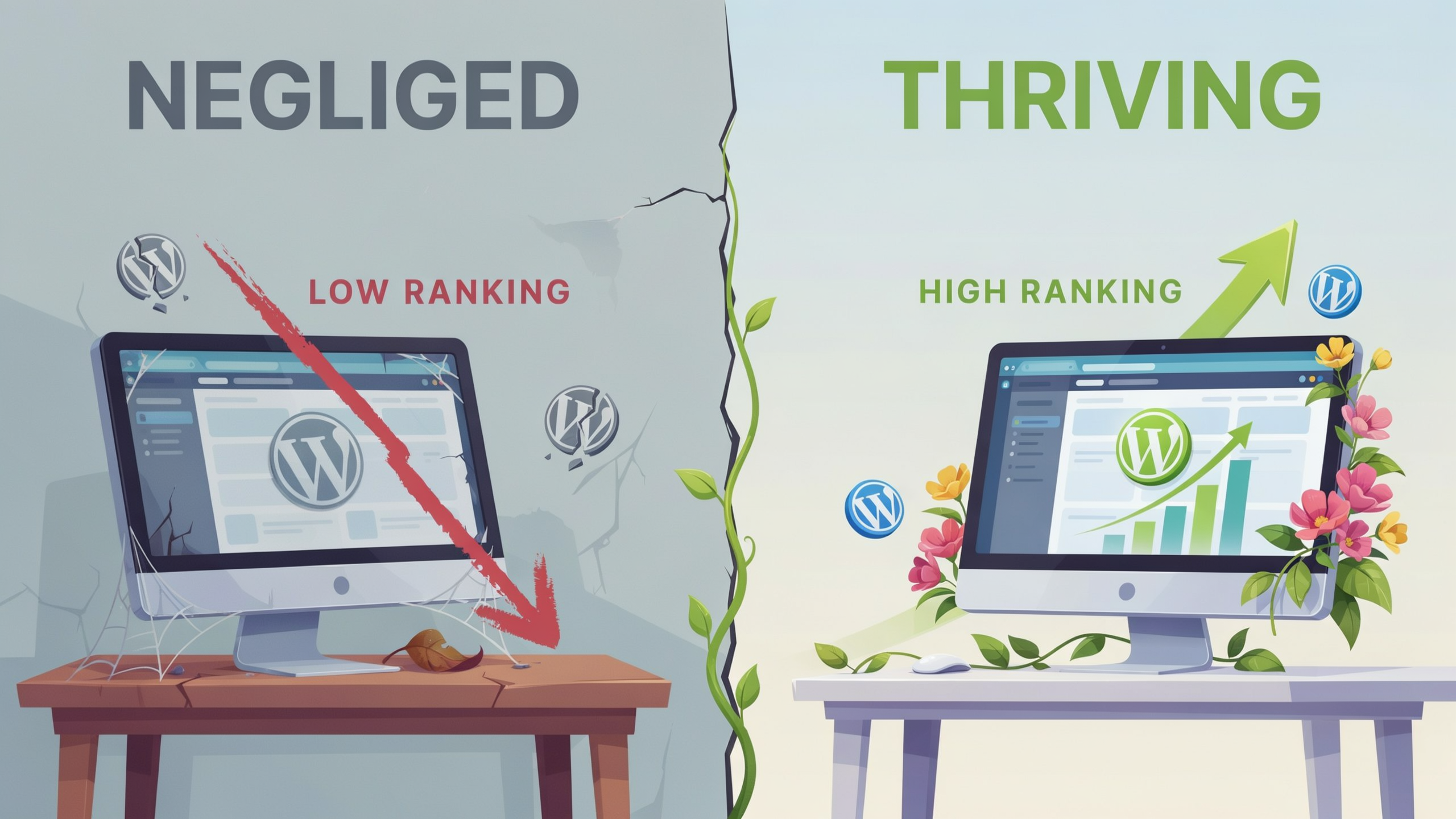
WordPress powers over 40% of all websites, but that popularity also means intense competition. Without deliberate optimization, your site risks invisibility in search results. Organic search drives a large share of website traffic, and the top few results capture most clicks. For businesses relying on WordPress, that translates into a stark reality: either you invest in strategies that align with how search engines rank content, or you leave revenue on the table. Unlike paid channels, organic traffic compounds over time, delivering sustained visibility without ongoing ad spend. A well-optimized WordPress site also improves user experience, reducing bounce rates and increasing conversions. In a landscape where every competitor is just a click away, WordPress SEO is the foundation of digital growth.
Essential WordPress SEO Settings
Before you install any plugin, the built-in WordPress SEO settings provide a solid foundation. Start with your permalink structure. Navigate to Settings > Permalinks and select "Post name" (/%postname%/). This creates clean, keyword-rich URLs that search engines and users prefer. Avoid the default plain structure with query strings, which hurts click-through rates and makes URLs harder to read.
Next, check your site's visibility settings under Settings > Reading. The "Discourage search engines from indexing this site" checkbox should be unchecked for live sites. It is surprisingly common for developers to leave this enabled after migrating from a staging environment, which blocks all organic traffic. Double-check this before launching any SEO campaign.
XML sitemaps are another core WordPress SEO setting. Since version 5.5, WordPress generates a basic sitemap at /wp-sitemap.xml automatically. This helps search engines discover your posts, pages, and custom post types. While functional, the native sitemap lacks customization options. Most dedicated WordPress SEO plugins enhance this with priority settings, last-modified timestamps, and the ability to exclude low-value pages. You can verify your sitemap by visiting yourdomain.com/wp-sitemap.xml and then submit it to Google Search Console. For more on how Google handles sitemaps, see Google's technologies overview.
Also review your category and tag archives. By default, WordPress creates archive pages for every category and tag, which can lead to thin or duplicate content. Use a plugin to noindex these archives or set canonical URLs where appropriate. Finally, ensure your site uses HTTPS. Obtain an SSL certificate from your host, then update your WordPress Address and Site Address under Settings > General to https://. This is a ranking signal and builds user trust. These foundational WordPress SEO settings take only minutes to configure but prevent common indexing problems and set the stage for more advanced optimization.
Choosing the Right WordPress SEO Plugin
Selecting a wordpress seo plugin is one of the most consequential decisions you will make for your site's organic visibility. The right tool streamlines on-page optimization, automates technical tasks, and provides actionable data without slowing down your dashboard. Start by evaluating the plugin's core feature set: XML sitemap generation, meta tag editing, schema markup support, and content analysis. These fundamentals must work reliably because search engines depend on clean signals to index and rank your pages correctly.
Performance is equally critical. A plugin that loads heavy scripts on every admin page can degrade the editing experience and even affect front-end speed if it injects unnecessary assets. Look for solutions that prioritize efficiency and offer modular settings so you enable only what you need. Beyond basics, consider whether the plugin integrates with tools you already use for workflows, such as rank tracking or site auditing platforms. Seamless data flow between your plugin and external dashboards saves hours of manual cross-referencing.
Many site owners search for a yoast alternative after encountering feature bloat or aggressive upsells. When comparing options, focus on transparency: does the vendor clearly document how its analysis algorithms work? Does it support custom post types and taxonomies without requiring premium add-ons? A well-designed plugin should adapt to your content architecture rather than forcing you into a rigid mold. Also examine the update cadence and support responsiveness because outdated compatibility with the latest WordPress core or PHP versions can introduce security risks.
Finally, test the plugin's user interface with actual content editors. A steep learning curve leads to inconsistent metadata and missed optimization opportunities. The best wordpress seo plugin guides users with clear, non-intrusive prompts while respecting their editorial judgment. Before committing, run a quick performance audit with the plugin active to confirm it does not bloat your database with unnecessary log entries or transients. A lean, focused tool that aligns with your technical stack and team's skill level will deliver sustainable SEO gains without ongoing frustration. For a deeper look at features that support this, check serfix.io/features.
On-Page Optimization Techniques
On-page optimization is the foundation of effective seo for wordpress, and it starts with crafting precise title tags. Each page should have a unique title that includes the primary keyword near the front, kept under 60 characters to avoid truncation in search results. Meta descriptions, while not a direct ranking factor, influence click-through rates by summarizing the page's value in 155, 160 characters. A well-written description that incorporates the focus keyphrase naturally can entice users to choose your result over competitors. Heading structure also plays a critical role: use a single H1 for the main title, then organize content with H2s and H3s that reflect a logical hierarchy. This helps search engines parse your content and improves accessibility for screen readers.
Keyword placement demands a strategic approach. The focus keyphrase should appear in the first 100, 150 words of the body, within at least one subheading, and in the URL slug when possible. For a post targeting "seo for wordpress," you might place the phrase in the opening paragraph, a mid-content H2, and the conclusion. Avoid over-optimization; a density of 0.5%, 2.5% keeps the text readable while signaling relevance. Beyond the primary term, weave in related phrases like "WordPress SEO plugin" and "WordPress SEO settings" where they fit organically. Image alt text, internal links with descriptive anchor text, and schema markup further reinforce on-page signals. By aligning these elements, you create a cohesive page that satisfies both user intent and search engine algorithms.
Technical SEO for WordPress
Technical SEO forms the invisible backbone of your site's search performance. Without a solid technical foundation, even the best content struggles to rank. For WordPress users, this means paying close attention to site speed, mobile responsiveness, structured data, and crawlability. A thorough approach starts with a comprehensive WordPress site audit that identifies hidden issues before they hurt your rankings.
Site speed is a direct ranking factor and a critical component of user experience. WordPress sites often slow down due to bloated themes, unoptimized images, and excessive plugins. Use a caching plugin, implement a content delivery network (CDN), and compress images with tools like WebP conversion. Lazy loading for images and videos ensures that off-screen media does not block the initial page render, which improves Core Web Vitals scores.
Mobile responsiveness is equally vital. Google uses mobile-first indexing, meaning it primarily crawls and indexes the mobile version of your site. Choose a responsive WordPress theme and test every page using Google's Mobile-Friendly Test tool. Pay attention to touch elements, font sizes, and viewport configuration. A site that frustrates mobile users will see higher bounce rates and lower conversions.
Structured data helps search engines understand your content and can earn rich snippets in search results. WordPress makes this straightforward with plugins that generate JSON-LD markup for articles, products, events, and more. Validate your markup with Google's Rich Results Test to catch errors. Properly implemented structured data can boost click-through rates by making your listings stand out.
Crawlability ensures search engines can access and index your important pages. Check your robots.txt file to avoid accidentally blocking key resources, and submit an XML sitemap via Google Search Console. A regular WordPress site audit will flag crawl errors, orphan pages, and redirect chains that waste crawl budget. Fix broken links promptly and use 301 redirects for any changed URLs to preserve link equity.
Content Strategy and Keyword Research
A solid content strategy is the engine that drives sustainable SEO for WordPress. Start by mapping each target keyword to a specific page or post, ensuring you avoid keyword cannibalization. Use a spreadsheet to plan your content calendar, aligning topics with user intent and the buyer's journey. For keyword discovery, use tools that integrate with WordPress, such as those available at serfix.io/features, which can surface long-tail opportunities and competitive gaps. Once you have a list, prioritize terms with a balance of search volume and manageable difficulty, then assign them to content types like blog posts, landing pages, or guides.
Effective keyword research goes beyond volume metrics. Analyze the SERPs to understand what Google rewards for each query, whether it is listicles, how-to guides, or product comparisons. Then, craft content that matches or exceeds the depth of the top-ranking pages. Incorporate your primary and secondary keywords naturally in headings, body text, and meta descriptions, but always write for humans first. A common pitfall is over-optimization; instead, focus on comprehensive topic coverage that answers related questions and earns topical authority.
To gauge the impact of your efforts, integrate wordpress rank tracking into your workflow. Many SEO plugins offer built-in rank monitoring, or you can connect your site to external dashboards that track keyword positions over time. Regularly review which pages are climbing or slipping, and adjust your content updates accordingly. This data-driven loop of research, creation, and measurement keeps your content strategy aligned with real performance, helping you refine your approach to SEO for WordPress continuously.
Link Building and Internal Linking
Internal linking is one of the most underrated aspects of seo for wordpress. A well-structured internal link graph helps search engines understand your site's hierarchy and distributes PageRank to the pages that need it most. When you publish a new post, link to it from at least three existing pages that are topically relevant. Use descriptive anchor text that includes the target keyword of the destination page, but vary it naturally to avoid over-optimization. For example, a site audit tool can automatically surface orphan pages and suggest internal links based on content similarity, making the process far less manual. You can find such tools at serfix.io/features.
Beyond internal links, earning backlinks from authoritative domains remains a cornerstone of off-page SEO. Focus on creating linkable assets such as original research, comprehensive guides, or interactive tools that other sites in your niche will want to reference. Guest posting on reputable industry blogs and building relationships with journalists through platforms like HARO can also yield high-quality editorial links. Always prioritize relevance over sheer volume; a single link from a trusted site in your vertical is worth more than dozens of low-quality directory submissions. Monitor your backlink profile regularly to disavow spammy links that could trigger a penalty.
Monitoring and Maintaining SEO Performance
SEO is not a one-time setup. After you configure your plugin and optimize your content, you need a routine to track results, catch issues early, and adapt to algorithm changes. A consistent monitoring cadence turns SEO from a guessing game into a data-driven growth engine.
Start with a weekly WordPress site audit. Use a tool that crawls your pages like Googlebot, flagging broken links, missing meta tags, slow load times, and duplicate content. Many WordPress SEO plugins include a basic audit module, but for deeper analysis, connect Google Search Console. It reveals crawl errors, index coverage gaps, and manual actions directly from Google's perspective. Pair it with Google Analytics to see which pages attract organic traffic, how long visitors stay, and where they drop off. This combination shows not just what is broken, but what is working.
Rank tracking is equally critical. Monitor your target keywords weekly to see if your positions are climbing or slipping. A sudden drop for a high-value term can signal a competitor's content update or a technical glitch. Set up alerts for significant changes so you can investigate immediately. Beyond rankings, track click-through rates from search results. A page ranking in position three with a low CTR might need a more compelling title tag or meta description, a quick fix that can boost traffic without moving up a spot.
Finally, schedule monthly deep dives into your analytics. Look for seasonal trends, new keyword opportunities, and pages that are close to breaking into the top ten. Refresh outdated content, expand thin posts, and prune underperforming pages. Regular maintenance keeps your site healthy and your rankings resilient. When you treat monitoring as an ongoing practice rather than a periodic chore, you build a sustainable advantage in seo for wordpress that compounds over time.
FAQ
What is the best WordPress SEO plugin?
The best plugin depends on your needs. Yoast SEO and Rank Math are popular for their comprehensive features, while SEOPress offers a lightweight alternative. Evaluate based on sitemap support, schema markup, and performance impact.
How do I set up SEO for WordPress without a plugin?
You can configure permalinks, generate a sitemap via WordPress core, and manually add meta tags to your theme. However, a plugin simplifies ongoing tasks like content analysis and structured data.
Why is my WordPress site not ranking?
Common causes include indexing blocks, slow speed, thin content, or poor keyword targeting. Run a site audit to identify technical issues and review your content against top-ranking pages.
How often should I do a WordPress site audit?
A weekly audit catches critical errors, but a full technical audit monthly is sufficient for most sites. Increase frequency if you publish daily or after major updates.
Does WordPress SEO work for ecommerce sites?
Yes, with plugins like WooCommerce SEO add-ons, you can optimize product pages, categories, and schema for rich results. Focus on unique product descriptions and fast load times.