
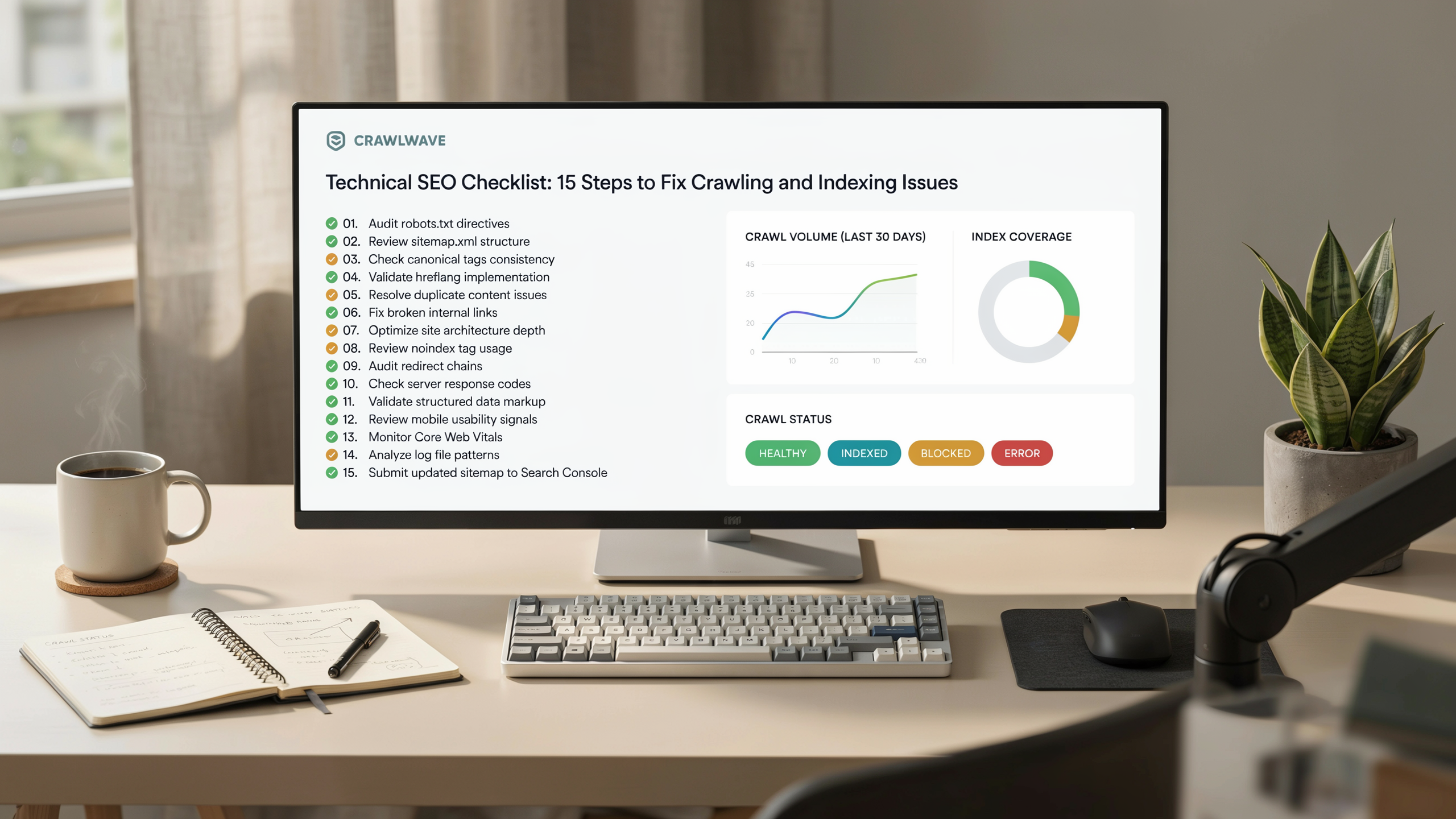
Key Takeaways
- A thorough technical SEO checklist starts with crawlability and indexing: ensure search engines can access and understand your pages.
- Site architecture, mobile-friendliness, and HTTPS are foundational. They directly impact how search engines evaluate your site.
- Core Web Vitals and page speed are ranking signals that require ongoing monitoring and optimization.
- Structured data, canonicalization, and XML sitemaps help search engines interpret your content and avoid duplicate content issues.
- Advanced tactics like log file analysis and JavaScript SEO uncover hidden crawl inefficiencies and indexing gaps.
A technical SEO checklist is your roadmap for diagnosing and fixing the behind-the-scenes issues that keep search engines from properly crawling and indexing your site. It covers everything from server configuration to page speed, and it's the foundation of any serious SEO effort. Without it, even great content can stay invisible. This guide walks you through the essential steps, with practical advice you can act on today.
Crawlability: Ensure Search Engines Can Access Your Pages

A crawlability check starts with Google Search Console's Crawl Stats report. You can spot spikes in errors or drops in pages crawled per day. The Coverage report groups URLs into status buckets. "Submitted and indexed" means your pages are accessible. "Crawled - currently not indexed" or "Discovered - currently not indexed" signal that Googlebot found the URL but chose not to index it. This often happens because of low-quality content or a crawl budget constraint. For a thorough technical seo audit, export the list of error URLs and sort them by the date they were first detected. That helps you prioritize long-standing issues over transient glitches.
Robots.txt is the first file Googlebot fetches. A misconfiguration here can block entire sections of your site. Use the robots.txt Tester inside Search Console to confirm that the file is reachable and that no critical paths are disallowed. A common crawl errors fix is removing overly broad Disallow: / rules that crept in during development and were never removed. After updating the file, submit it for testing and monitor the Crawl Stats report for a recovery in pages crawled. Keep in mind that robots.txt directives are advisory for benign crawlers but ignored by malicious ones. Never rely on them to hide sensitive content.
Server logs give you the ground truth of every request. They include the HTTP status code, response time, and the user-agent string. By filtering for Googlebot's IP ranges, you can see exactly which URLs are being crawled and how your server is responding. A spike in 5xx errors during a crawl burst suggests your hosting can't handle the load. That wastes crawl budget and can lead to site indexing issues. Tools like Log Analyzer in Search Console or third-party log parsers can aggregate this data into a crawl frequency chart. You'll spot patterns such as a sudden drop after a site migration or a plateau that indicates a soft ceiling on your crawl budget.
Your crawl budget is the number of URLs Googlebot will crawl on your site in a given day. It's influenced by two factors: crawl demand (how popular and fresh your pages are) and crawl rate limit (how fast your server can respond without degrading the user experience). To optimize it, eliminate low-value URLs from the crawl queue. Use noindex tags on thin content pages, consolidate duplicate pages with canonical tags, and ensure your XML sitemap only includes URLs that return a 200 status code. A clean seo site structure with a flat hierarchy and strong internal linking also helps Googlebot discover important pages faster. It reduces the time spent on dead ends.
Indexing: Get Your Pages Into the Search Index

Getting your pages into the search index is the next logical step after ensuring they are crawlable. A page that is crawled but not indexed will never appear in search results. That makes indexing a critical checkpoint in any technical SEO checklist. The most reliable way to verify indexing is to use Google Search Console's URL Inspection tool. It shows whether a URL is indexed and, if not, provides a reason. For bulk checks, the Index Coverage report flags pages that are excluded, crawled but not indexed, or have warnings.
Common site indexing issues often stem from misconfigured noindex tags. A noindex meta tag or HTTP header instructs search engines not to include a page in their index. While useful for admin pages or thin content, an accidental noindex on key pages can wipe them from search results overnight. Regularly audit your site for unintended noindex directives using a crawler like Screaming Frog. Cross-reference the list with your sitemap to catch discrepancies.
Canonicalization is another pillar of indexing hygiene. When duplicate or similar content exists across multiple URLs, a rel="canonical" tag consolidates indexing signals to the preferred version. Without it, search engines may choose the wrong URL. That dilutes ranking power and creates duplicate content headaches. Ensure every indexable page has a self-referencing canonical. Paginated or parameterized URLs should point to the canonical root.
Finally, XML sitemap submission remains a foundational step. But it's not a substitute for a sound internal linking structure. A sitemap simply lists the URLs you want indexed. It does not guarantee indexing. Submit your sitemap through Search Console and monitor the submitted vs. indexed ratio. A large gap often reveals deeper site indexing issues like low-quality content, orphan pages, or crawl budget waste. Address those before resubmitting.
Site Architecture: Build a Logical, Crawl-Friendly Structure
A well-planned site structure is the backbone of any technical SEO checklist. It ensures that search engines can efficiently discover and understand your content. It also provides a seamless experience for users. When your architecture is logical and flat, both crawlers and visitors can reach any important page within a few clicks. That reduces the risk of orphaned content and improves overall crawl budget allocation.
Start by designing a shallow hierarchy. Every page should be no more than three or four clicks from the homepage. This flat structure distributes link equity more evenly and prevents deep, buried pages from being ignored. Group related content into clear, keyword-driven categories and subcategories. Use a consistent URL pattern that reflects the hierarchy. For example, a URL like /services/seo-audit immediately signals the page's topic and its place within the site. It aids both user navigation and search engine interpretation.
Internal linking is the connective tissue of your architecture. Beyond the main navigation, use contextual links within your content to guide users to related resources. This helps search engines establish topical relationships. Breadcrumb navigation further reinforces the structure. It shows users their path and provides another layer of internal links. Implementing breadcrumb structured data also enables rich results in SERPs. That can improve click-through rates.
URL optimization is another critical element. Keep URLs short, descriptive, and free of unnecessary parameters. Use hyphens to separate words and avoid dynamic session IDs whenever possible. A clean URL structure improves crawlability and enhances user trust and shareability. When you audit your site as part of a broader technical seo audit, pay close attention to redirect chains, broken links, and inconsistent URL formats. These can undermine your architecture and waste crawl budget.
Finally, validate your structure by crawling the site with a tool like Screaming Frog or a cloud-based crawler. Look for pages that are too deep, orphaned, or only accessible through complex navigation paths. A solid site architecture is not a one-time setup. It requires ongoing maintenance as your content grows. By prioritizing a logical, crawl-friendly structure, you create a foundation that supports every other item on your technical SEO checklist, from indexing to Core Web Vitals.
Core Web Vitals: Optimize for Page Experience
Core Web Vitals are a set of metrics Google uses to measure real-world user experience. They are a direct ranking factor. For a thorough technical SEO checklist, addressing Largest Contentful Paint (LCP), First Input Delay (FID), and Cumulative Layout Shift (CLS) is essential. LCP measures loading performance. It should occur within 2.5 seconds of the page starting to load. To improve it, optimize your server response time, remove render-blocking resources, and compress images using modern formats like WebP. A content delivery network (CDN) also helps serve assets faster to users worldwide.
FID quantifies interactivity. It's the time from when a user first interacts with your page to when the browser responds. Aim for an FID of less than 100 milliseconds. Reduce JavaScript execution time by breaking up long tasks, deferring unused JavaScript, and minimizing main-thread work. Although Google is transitioning to Interaction to Next Paint (INP) as a replacement, FID remains a useful diagnostic for now.
CLS tracks visual stability. Pages should maintain a CLS score below 0.1. Unexpected layout shifts often stem from images or ads without reserved space, or dynamically injected content. Always include width and height attributes on media elements. Preload fonts to avoid flash-of-unstyled-text shifts. For a complete core web vitals seo strategy, run audits with PageSpeed Insights and Lighthouse. They pinpoint specific fixes. These tools break down each metric and offer lab data to complement field data from the Chrome User Experience Report. Regularly monitoring these scores ensures your site meets the page experience threshold. That's a key part of any modern technical seo checklist.
Mobile-Friendliness: Prioritize the Mobile Experience
Google uses mobile-first indexing. It predominantly crawls and indexes the mobile version of your site. If your mobile pages are broken, slow, or missing key content, your rankings will suffer. A responsive design adapts your layout to any screen size. It ensures a consistent user experience. Avoid separate mobile URLs (m.example.com). They split link equity and often lead to configuration mistakes. Instead, serve the same HTML to all devices and use CSS media queries to adjust the presentation.
Common mobile usability issues include text too small to read, clickable elements placed too close together, and content wider than the screen. Fix these by setting a legible base font size (at least 16px), using the viewport meta tag correctly, and spacing touch targets at least 48px apart. Test your pages with Google's Mobile-Friendly Test tool and the Live Test in Search Console. Both flag specific problems and show how Googlebot renders your pages. When you run a serfix.io audit, it surfaces these mobile issues alongside other technical SEO checklist items. You can prioritize fixes that directly impact crawling and indexing.
Pay attention to intrusive interstitials and pop-ups that obscure content on mobile. A full-screen promo that blocks the article frustrates users and can trigger a ranking demotion. Use banners that occupy a small portion of the screen instead. Also, verify that your structured data, meta tags, and internal links are identical on mobile and desktop. Discrepancies confuse search engines and weaken your site's authority. By treating mobile as the primary experience, you align with how most users and search engines interact with your site today.
HTTPS and Security: Protect Your Site and Rankings
HTTPS is a confirmed Google ranking signal. It's a critical item on any technical seo checklist. It encrypts data between the user's browser and your server. That protects sensitive information like login credentials and payment details. Beyond the ranking boost, browsers flag non-HTTPS sites as "Not Secure." This can erode user trust and increase bounce rates. A valid SSL/TLS certificate is the foundation, but security goes deeper.
Mixed content issues arise when an HTTPS page loads resources (images, scripts, stylesheets) over HTTP. This undermines the security of the page and triggers browser warnings. Fixing mixed content is a core part of a technical seo audit. It often requires a database search-and-replace to update internal URLs from HTTP to HTTPS. Tools like serfix.io can crawl your site to identify these insecure elements quickly.
Security headers add another layer of protection. Headers like Content-Security-Policy, X-Content-Type-Options, and Strict-Transport-Security instruct browsers on how to handle your site's content. They mitigate risks like cross-site scripting and clickjacking. Implementing these headers is a straightforward server configuration task. It strengthens your site's security posture and demonstrates a commitment to user safety.
If you're migrating from HTTP to HTTPS, a phased approach minimizes risks. Start with a staging environment to test certificate installation and resolve mixed content. Then, update your canonical tags and internal links to point to HTTPS URLs. Set up 301 redirects from HTTP to HTTPS on a page-by-page basis. Finally, update your XML sitemap and submit it to Google Search Console. Monitor crawl errors fix reports to ensure search engines are indexing the new URLs without issues. For more on how Google handles secure connections, see Google's technologies policies.
Structured Data: Enhance SERP Visibility with Schema Markup
Structured data helps search engines understand your content. It can trigger rich results like review stars, FAQs, and breadcrumbs. For most sites, JSON-LD is the recommended format. It keeps markup separate from HTML and is easy to maintain. A typical implementation starts with identifying the most relevant schema type for each page. Article, Product, LocalBusiness, or FAQPage are common choices. Then generate the JSON-LD snippet using Google's Structured Data Markup Helper or a trusted plugin. After adding the script to the
or body of the page, always test it with Google's Rich Results Test tool. That confirms eligibility for enhanced SERP features. Validation errors often stem from missing required properties. For example, a Product schema without an offer or review property will not qualify for rich snippets. Another frequent mistake is using the wrong @type. Applying Organization schema to a single article instead of Article is a classic. Regular monitoring in Google Search Console's Enhancements report helps catch new errors after site updates. For ecommerce sites, product markup with aggregateRating can boost click-through rates. It surfaces star ratings directly in search results. A serfix.io approach to structured data means treating schema as a living asset. It evolves with your content strategy, not a one-time fix.
Page Speed: Beyond Core Web Vitals
While Core Web Vitals focus on user-centric loading, interactivity, and visual stability, a comprehensive technical SEO checklist must also address raw server performance and resource efficiency. Server response time, measured as Time to First Byte (TTFB), directly impacts every subsequent loading metric. Reducing TTFB to under 200 milliseconds often requires upgrading hosting, enabling HTTP/2 or HTTP/3, and implementing full-page caching through a CDN or server-level solutions like Varnish.
Image optimization remains one of the highest-impact speed levers. Beyond compression, adopt modern formats such as WebP and AVIF. They can reduce file sizes by 30-50% compared to JPEG or PNG without visible quality loss. Implement lazy loading for below-the-fold images. Use responsive images with srcset and sizes attributes to serve appropriately scaled files to each device.
Code minification and bundling reduce the number of round trips and the total bytes transferred. Minify HTML, CSS, and JavaScript by stripping whitespace, comments, and unnecessary characters. Concatenate files where possible. But be mindful of HTTP/2 multiplexing. It can make many small files less detrimental than a few large bundles. Tree shaking eliminates unused code from JavaScript libraries. That further shrinks payloads.
Effective caching strategies prevent repeat visitors from re-downloading unchanged resources. Set far-future Expires headers or Cache-Control max-age directives for static assets. Use versioned filenames or content hashes to force updates when files change. For dynamic content, consider edge caching or stale-while-revalidate patterns. They serve near-instant responses while refreshing data in the background.
A practical speed optimization checklist includes: audit TTFB and upgrade hosting if needed; compress and convert images to next-gen formats; minify and bundle CSS/JS; implement a CDN with full-page caching; enable Gzip or Brotli compression; and leverage browser caching with appropriate headers. These steps, when layered on top of Core Web Vitals improvements, create a resilient, fast-loading site. It satisfies both users and search engines.
Duplicate Content: Identify and Resolve Canonicalization Issues
Duplicate content confuses search engines and dilutes ranking signals. It's a critical item on any technical SEO checklist. Common causes include www vs non-www versions of a URL, HTTP vs HTTPS protocols, trailing slashes, and URL parameters from filters or session IDs. When Google encounters multiple URLs with identical or near-identical content, it must choose one to index. Its choice may not match your preferred version.
Resolving these issues starts with a technical seo audit using tools like Google Search Console. It flags duplicate pages under the Indexing report. For protocol and subdomain conflicts, implement 301 redirects to consolidate all variants to a single canonical domain. For example, redirect http://example.com and http://www.example.com to https://example.com. This fixes crawl errors and preserves link equity.
When redirects are impractical, such as with printer-friendly pages or product variants, use canonical tags (rel="canonical") in the page's <head> to signal the preferred URL. For parameter-driven duplicates, Google Search Console's URL Parameters tool lets you specify how parameters affect content. That reduces unnecessary crawling. A well-maintained seo site structure with consistent internal linking further reinforces canonical signals. It ensures that your site indexing issues are minimized and your pages rank for their intended queries.
XML Sitemaps: Create and Optimize Your Roadmap for Search Engines
An XML sitemap is a file that lists the important pages on your site. It helps search engines crawl more intelligently. It's a core component of any technical SEO checklist because it directly addresses site indexing issues by providing a clear roadmap. Without one, bots may miss deeper pages or waste crawl budget on low-value URLs. A well-structured sitemap also communicates your SEO site structure. It signals which content you consider most important.
To generate a dynamic sitemap, use your CMS's built-in functionality or a dedicated plugin. For custom setups, a script can query your database and output an XML file that updates automatically when content changes. Prioritize canonical, indexable pages with high-quality content and proper status codes. Exclude URLs blocked by robots.txt, those with noindex tags, paginated pages, parameter-based URLs, and thin or duplicate content. This keeps the sitemap lean and focused. That's essential for efficient crawling.
Once created, submit your sitemap through Google Search Console using the Sitemaps report. This is a key step in any technical seo audit. It provides direct feedback on errors. Monitor the report regularly for common issues such as URLs not found (404), blocked by robots.txt, or slow response times. Also check that the sitemap does not exceed 50,000 URLs or 50MB uncompressed. If it does, split it into multiple sitemaps and use a sitemap index file. For large sites, consider segmenting sitemaps by content type (posts, products, images). That makes diagnosis easier.
A dynamic sitemap that automatically includes new content and removes outdated URLs reduces manual maintenance. However, always verify that your sitemap only lists pages you want indexed. If you are using a serfix.io platform, it can help automate sitemap generation and monitoring. Your roadmap stays accurate as your site evolves. Regularly cross-reference your sitemap with log file analysis. Confirm that search engines are crawling the URLs you prioritize. Adjust your sitemap strategy accordingly.
Log File Analysis: Uncover How Search Engines Really Crawl Your Site
While a serfix.io platform can surface crawl stats, raw server logs reveal exactly how Googlebot interacts with your site. Log file analysis is an advanced technique. It shows crawl frequency, wasted crawl budget, and server errors that tools like Search Console may miss. By examining every request, you can identify pages that are crawled too often or too rarely. You'll spot redirect chains and detect 5xx errors that waste your crawl allowance.
Start by exporting logs from your server or CDN for a representative period. Typically one to two weeks. Filter for search engine user agents like Googlebot, Bingbot, and others. A basic workflow involves parsing the logs with a tool such as Screaming Frog Log File Analyser or a Python script. Then group requests by status code, URL directory, and response size. Look for patterns. Are large image files being crawled repeatedly? Are parameter-driven URLs eating up budget? Are important pages returning 404 or 301 status codes? Prioritize fixes that align with your technical SEO checklist goals. That means improving crawl efficiency and indexation speed.
Pay special attention to the ratio of productive crawls to errors. If Googlebot spends a significant portion of its time on non-200 responses, your site's overall health suffers. Use your findings to update robots.txt directives, refine internal linking, and ensure that XML sitemaps point only to canonical, indexable URLs. Regular log file analysis turns crawl data into actionable insights. It helps you maintain a lean, search-friendly infrastructure.
International SEO: Manage Multi-Language and Multi-Regional Sites
When your audience spans multiple countries or languages, a solid technical seo checklist must include internationalization. The goal is to serve the right content to the right users without creating duplicate content issues. Start by choosing a URL structure. Country-code top-level domains (ccTLDs) like example.de send a strong geo-signal but require separate domain authority. Subdirectories (example.com/de/) consolidate authority and are easier to maintain. Subdomains (de.example.com) sit in between. Whichever you pick, implement hreflang tags. They tell search engines which language and region each page targets. These tags can live in your HTML head, XML sitemap, or HTTP header. They must be reciprocal: if page A references page B, page B must reference page A.
For regional targeting without language differences, use the International Targeting report in Google Search Console to set a country. This is especially useful for sites on generic TLDs like .com that want to rank in a specific market. A common pitfall is creating near-identical pages for different locales without proper canonicalization. That triggers duplicate content filters. Always pair hreflang with self-referencing canonicals. Avoid automatic redirects based on IP address. They can prevent search engines from crawling all versions. Instead, offer a banner that lets users switch regions. Regularly audit your hreflang implementation with a crawling tool. Catch broken references or missing return links. Monitor your Index Coverage report for any international pages that are unexpectedly excluded.
JavaScript SEO: Ensure Your JS-Powered Content Gets Indexed
Modern websites increasingly rely on JavaScript frameworks like React, Vue, or Angular. They deliver dynamic, interactive experiences. However, this can create significant challenges for search engine crawling and indexing. When content depends on client-side JavaScript execution, search bots may see an empty page or miss critical elements. That leads to poor rankings and incomplete indexing. A thorough technical SEO checklist must address how JavaScript renders for search engines.
The core issue is that not all search bots execute JavaScript effectively. While Google has improved its rendering capabilities, it still processes JavaScript in a second wave of indexing. This can delay content discovery. Bing and other search engines may have even more limited support. To mitigate this, server-side rendering (SSR) or dynamic rendering are common solutions. SSR generates the full HTML on the server. Bots receive a complete page immediately. Dynamic rendering serves a static HTML snapshot to bots while users get the JavaScript version. It can be implemented with tools like Puppeteer or Rendertron.
Testing is critical. Use Google Search Console's URL Inspection tool to see the rendered HTML and identify any missing content. The Mobile-Friendly Test and Rich Results Test also render pages and highlight JavaScript errors. For deeper analysis, the Chrome DevTools Performance panel can trace rendering bottlenecks. A JavaScript SEO audit should include checking that all important content, links, and meta tags are present in the initial HTML or rendered output. Verify that lazy-loaded images have proper noscript fallbacks. Ensure that internal links use standard anchor tags rather than JavaScript event handlers. By incorporating these steps into your broader technical SEO checklist, you can prevent indexing gaps and improve crawl efficiency for JavaScript-heavy sites. For more on how Google handles JavaScript, see Google's FAQ.
FAQ
How often should I run through a technical SEO checklist?
It depends on your site's size and how often you make changes. For a large ecommerce site with daily updates, a monthly audit is smart. Smaller, static sites can get by with quarterly checks. The key is to monitor critical areas like indexing and crawl errors continuously via Search Console. A full checklist review catches deeper issues that gradual drift can hide.
What's the most common mistake in technical SEO?
Accidentally blocking important pages via robots.txt or noindex tags. It happens more than you'd think. A development site gets pushed live with a blanket disallow, or a meta tag gets copied to the wrong template. Always test your robots.txt and crawl your staging site before launch. A quick check saves weeks of lost traffic.
Do I need to fix every single error on the checklist?
No. Prioritize by impact. A 404 on an old, unlinked page is low priority. A noindex on your top landing page is an emergency. Focus on issues that affect your most valuable pages first. Use crawl data and traffic reports to decide what moves the needle. Some warnings are just noise.
Can I ignore JavaScript SEO if my site isn't a single-page app?
Not entirely. Even traditional sites often use JavaScript for dynamic elements like comment sections, chatbots, or lazy-loaded images. If those elements contain important content or links, they need to render for bots. Test your key pages with the URL Inspection tool. If the rendered HTML matches what users see, you're probably fine. If not, you have work to do.
How do I know if my crawl budget is being wasted?
Check your server logs. Filter for Googlebot and look for patterns: lots of 404s, redirect chains, or crawling of parameter-heavy URLs. Also check the Crawl Stats report in Search Console. A high ratio of "crawled but not indexed" pages is a red flag. Fixing these issues helps Google spend its time on your real content.