
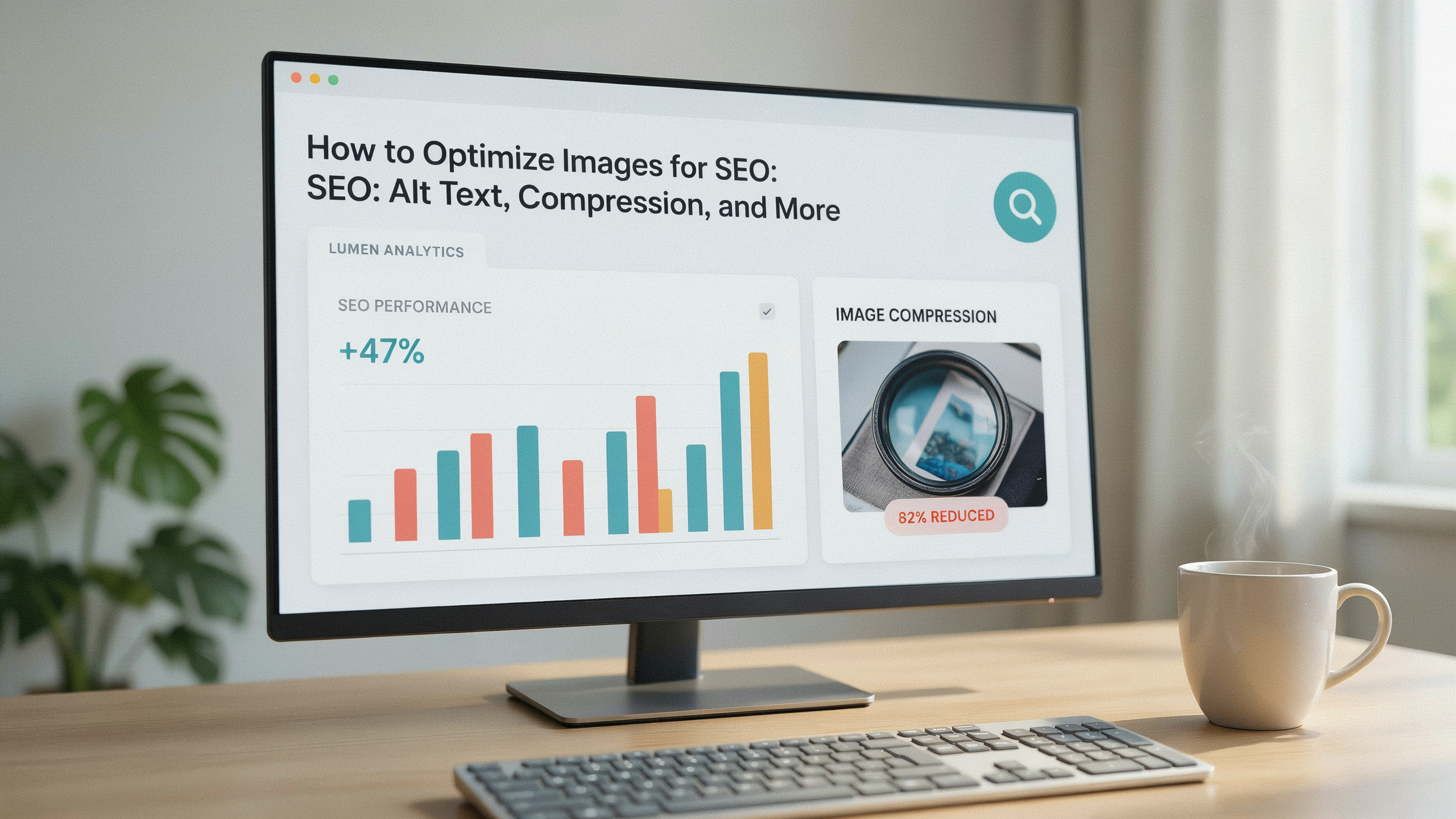
To optimize images for seo is to make every visual asset work harder for your rankings, page speed, and user experience. Image-heavy pages that load slowly drive visitors away and send negative signals to search engines. Properly compressed, well-described images can appear in Google Image Search, boost Core Web Vitals, and improve accessibility. This guide walks through the technical and editorial steps that turn images from silent bandwidth hogs into ranking assets.
Key Takeaways
- Image compression and modern formats like WebP directly improve Largest Contentful Paint and overall page speed.
- Descriptive, keyword-aware alt text helps search engines understand image content and supports accessibility compliance.
- An image sitemap and structured data increase the odds of appearing in Google Image Search and visual discovery surfaces.
- Responsive images and lazy loading prevent unnecessary data transfer on mobile devices, preserving crawl budget.
- Regular audits with tools like Serfix catch broken images, missing alt attributes, and oversized files before they hurt rankings.
Why Image SEO Matters for Your Website
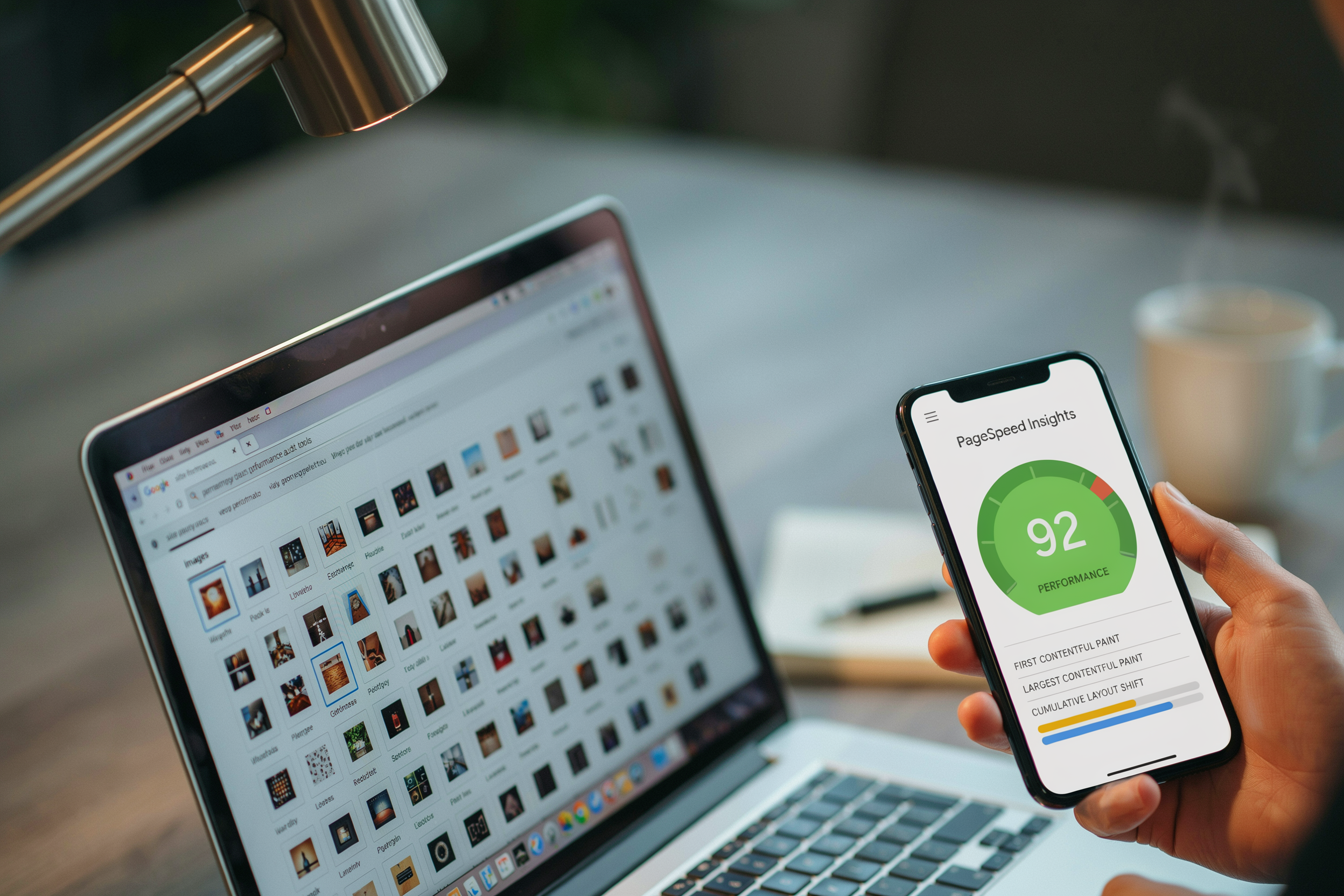
When you optimize images for seo, you directly influence three critical performance pillars: page load speed, user experience, and search engine visibility. Large, unoptimized images are the single biggest contributor to page bloat. They often account for over 50% of a webpage's total weight. A one-second delay in mobile load time can reduce conversions by up to 20%. Image compression and format selection become a direct revenue lever, not a cosmetic tweak.
Beyond speed, properly optimized images open a secondary traffic channel through Google Image Search. Visual results now appear in roughly 30% of all Google queries. Image packs often sit above the first organic link. By using descriptive file names, structured data, and an image sitemap, you signal relevance to search engines. This increases the likelihood of appearing in these high-visibility placements. It's especially valuable for e-commerce, travel, and recipe sites where visual discovery drives purchase intent.
User experience also improves when images load progressively, display correctly on every screen size, and include meaningful alt text for screen readers. These factors reduce bounce rates and increase dwell time, both indirect ranking signals. In a competitive landscape, the sites that consistently optimize images for seo gain a measurable edge in Core Web Vitals scores. Google has confirmed these as a ranking factor since 2021. For a closer look at how technical SEO supports these gains, explore Serfix's guide resources that connect performance metrics to organic growth.
Choosing the Right Image File Format
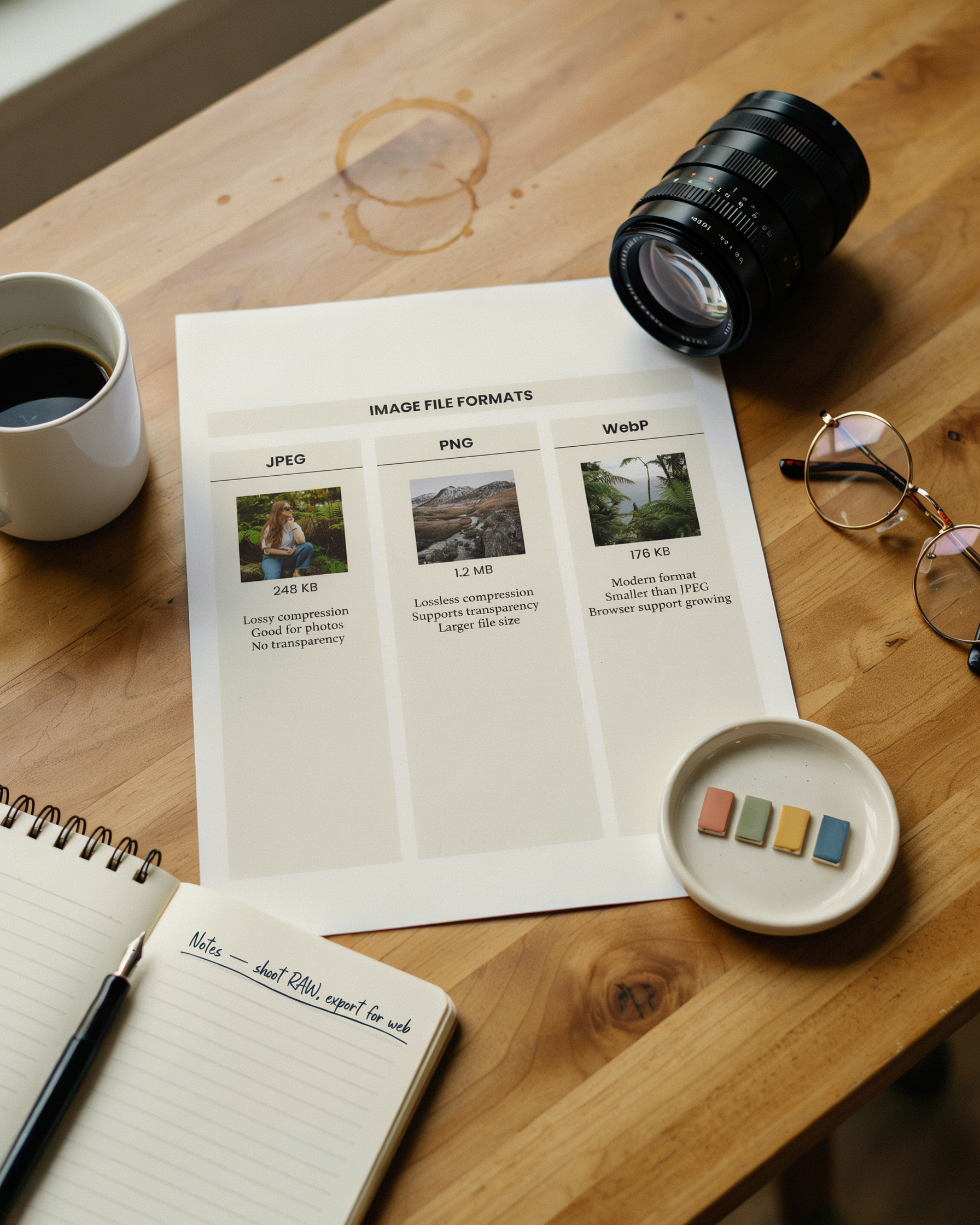
The file format you select directly affects page speed, visual quality, and how well you can optimize images for SEO. Each format has strengths that suit specific types of content. Using the wrong one can bloat page weight without any visual benefit.
JPEG remains the workhorse for photographs and complex images with many colors. Its lossy compression can shrink file sizes dramatically while preserving acceptable quality. It's a safe default for blog post photos and product shots. For graphics that need transparency or crisp edges, PNG is the better choice. Use PNG-8 for simple logos with few colors and PNG-24 when you need full alpha transparency. Keep in mind that PNG files are often larger than JPEGs for photographic content.
GIF is now a legacy format best reserved for simple animations. For static images, it offers no compression advantage over PNG and supports only 256 colors. This leads to banding in photographs. If you need animation, consider converting short clips to looping MP4 video instead. Browsers can render these more efficiently than large GIF files.
Modern formats like WebP and AVIF deliver superior compression with smaller file sizes and better quality. WebP supports both lossy and lossless compression, transparency, and animation. It can reduce file sizes by 25-35% compared to JPEG and PNG at equivalent quality. Adopting WebP is one of the most impactful steps you can take when you optimize images for SEO. It directly improves Largest Contentful Paint scores and reduces bandwidth. AVIF goes even further, often achieving 50% smaller files than JPEG, but its browser support is still maturing. For now, a practical approach is to serve WebP with a JPEG or PNG fallback using the <picture> element. This ensures every visitor gets a modern, lightweight format without breaking the experience for older browsers.
When you choose formats with webp seo in mind, you're cutting bytes and improving crawl efficiency. Search engine bots can process smaller files faster. You're signaling to Google that your site prioritizes performance. A well-compressed WebP hero image can load in under 200 milliseconds. This keeps users engaged and reduces bounce rates that indirectly affect rankings.
Image Compression: Balancing Quality and File Size
Effective image compression seo is a cornerstone of page speed optimization. When you compress an image, you reduce its file size without making it look noticeably worse to the human eye. The goal is to shave kilobytes off every image so your pages load faster. This directly improves Core Web Vitals and your search rankings. There are two fundamental approaches: lossy and lossless compression. Lossy compression permanently removes some image data to achieve smaller files; JPEG is the classic example. Lossless compression reduces file size by rewriting the image's internal data more efficiently without discarding any visual information. PNG and WebP both support lossless modes. For most web use cases, a carefully tuned lossy compression delivers the best balance. You can often reduce a JPEG by 60-80% before artifacts become visible. Modern tools let you preview the result in real time.
Choosing the right tool makes a big difference. Here is a comparison of popular image compression tools that integrate smoothly into an SEO workflow:
| Tool | Compression Type | Supported Formats | Batch Processing | Best For |
|---|---|---|---|---|
| TinyPNG | Lossy | PNG, JPEG, WebP | Yes (web interface) | Quick, one-off compressions with a simple drag-and-drop interface |
| ImageOptim | Lossless / Lossy | PNG, JPEG, GIF, SVG | Yes (desktop app) | Mac users who want fine-grained control over compression settings |
| Squoosh | Lossy / Lossless | JPEG, PNG, WebP, AVIF | No | Comparing codecs side by side and adjusting quality sliders visually |
| ShortPixel | Lossy / Lossless | JPEG, PNG, GIF, WebP, AVIF | Yes (WordPress plugin) | Automating compression for existing WordPress media libraries |
| Imagify | Lossy / Lossless | JPEG, PNG, GIF, WebP | Yes (WordPress plugin) | Setting a monthly quota and letting the plugin handle new uploads |
Finding the right balance between quality and file size depends on the image's role. A hero image that spans the full width of the page needs higher quality than a small thumbnail in a product grid. Start with aggressive compression and then back off until the image looks acceptable on a high-resolution display. Many tools let you set a quality level from 0 to 100; a value between 70 and 85 for JPEGs is a safe starting point. For WebP, a modern format designed for the web, you can often go lower because its compression algorithm is more efficient. Always test your compressed images on actual devices. A photo that looks fine on a 13-inch laptop might show banding or blur on a 27-inch monitor. By treating image compression as an iterative process rather than a one-click fix, you keep your site fast while preserving the visual experience that keeps visitors engaged.
Writing Effective Alt Text for SEO and Accessibility
Alt text, short for alternative text, is the HTML attribute that describes an image's content and function. When you write effective alt text, you serve two critical audiences: search engines that rely on the text to understand image context, and users who cannot see the image, including those using screen readers. The practice of image alt text seo is about providing a concise, accurate description that naturally includes relevant terms. A well-crafted alt attribute can improve your page's relevance for image search and enhance the overall accessibility of your site.
To write alt text that works for both SEO and accessibility, follow these best practices. First, be specific and descriptive. Instead of a generic label like "dog," use "golden retriever puppy playing with a red ball in the park." This level of detail helps search engines index the image accurately and gives a screen reader user a richer understanding of the visual content. Second, keep it concise. While there is no strict character limit, aim for 125 characters or fewer, as many screen readers truncate longer text. Third, incorporate your target keyword naturally only when it genuinely describes the image. For example, if you are optimizing an image of a chart showing SEO metrics, an alt text like "bar chart illustrating monthly organic traffic growth after implementing image optimization strategies" includes the keyword "image optimization" in a way that feels organic, not forced.
Common mistakes can undermine your image alt text seo efforts. One frequent error is keyword stuffing: writing alt text like "cheap SEO services, best SEO company, affordable SEO" for an image of a team meeting. This fails to describe the image and can trigger search engine penalties. Another mistake is using alt text for decorative images that serve no informational purpose. For purely decorative elements, such as background patterns or spacer graphics, use an empty alt attribute (alt="") so screen readers skip them. Avoid starting alt text with "image of" or "picture of". Screen readers already announce the element as an image, so this phrasing is redundant.
To illustrate the difference, consider these examples. For an image of a laptop displaying a Google search results page with highlighted snippets, a poor alt text would be: "laptop screen." A good alt text would be: "laptop showing Google SERP with featured snippet and local pack results for 'best coffee shops.'" The good version describes the content, includes relevant keywords like "SERP" and "featured snippet," and provides context that benefits both users and search engines. Another example: for an e-commerce product photo of a blue running shoe, a bad alt text is "shoe," while a good one is "men's blue trail running shoe with Vibram sole, side view." The detailed description helps visually impaired shoppers and improves the product's visibility in image searches.
Remember that alt text is part of a broader on-page SEO strategy. When combined with descriptive file names, structured data, and proper image compression, it strengthens your site's relevance signals. Regularly audit your alt text using tools like the Serfix platform to identify missing or suboptimal attributes across your pages. By treating alt text as a core element of both accessibility and SEO, you create a better experience for all users while helping search engines understand and rank your visual content more effectively.
Image File Names and Structured Data
Image file names are a foundational yet often overlooked element when you optimize images for SEO. Search engines crawl file names to understand image content. A descriptive, keyword-rich name like blue-widget.jpg signals relevance far better than a default camera filename such as IMG_001.jpg. Before uploading any image, rename it to reflect what the image actually shows, using lowercase letters and hyphens to separate words. This practice helps search engines index your images correctly and improves your chances of appearing in image search results for relevant queries.
Beyond file names, structured data adds a layer of context that can unlock rich results. By implementing ImageObject schema markup, you provide explicit details about an image, such as its caption, license, and thumbnail URL, directly to search engines. For example, a product page can use ImageObject within a Product schema to specify the primary image, which may then appear as a prominent thumbnail in search snippets. This structured approach helps search engines associate images with the right entities, boosting visibility for both the image and the page it belongs to.
When you optimize images for SEO through structured data, you also enable features like Google's image badges or licensable labels, which can increase click-through rates. A common implementation involves adding JSON-LD script to the page head, referencing the image URL and additional properties like author or acquireLicensePage. While not a direct ranking factor, this markup makes your images eligible for enhanced displays, giving you an edge over competitors who skip this step. Combined with clean file names, it forms a powerful, low-effort tactic that supports both traditional and visual search optimization.
Responsive Images and Lazy Loading
To fully optimize images for SEO, you need to serve the right image size for each user's device and defer off-screen images until they are needed. Responsive images and lazy loading directly improve Core Web Vitals like Largest Contentful Paint (LCP) and reduce bandwidth waste. Search engines reward this with better rankings.
The srcset and sizes attributes let browsers choose the most appropriate image file from a set of alternatives. For example, srcset="image-480w.jpg 480w, image-800w.jpg 800w, image-1200w.jpg 1200w" defines three widths. sizes="(max-width: 600px) 480px, 800px" tells the browser which slot size to use at different viewport widths. This prevents mobile users from downloading a 2000-pixel desktop hero image, cutting page weight and load times. When you combine responsive images with modern formats like WebP, you further reduce file sizes without visible quality loss. That's a key part of image compression SEO.
Lazy loading delays image requests until the user scrolls near them. The native loading="lazy" attribute on <img> tags is supported by all major browsers and requires no JavaScript. It prioritizes above-the-fold images while off-screen images load only when needed, slashing initial page load time. For critical LCP images, use loading="eager" or omit the attribute so they load immediately. Avoid lazy loading the first large image in the viewport, as that can hurt LCP scores. Pair lazy loading with explicit width and height attributes to reserve layout space and prevent cumulative layout shift, another Core Web Vital that affects rankings.
Implementing these techniques is straightforward. Audit your site with a tool like Serfix to identify images that lack responsive markup or are blocking rendering. Then update your templates to generate srcset variants at common breakpoints and add loading="lazy" to all non-critical images. Together, responsive images and lazy loading make your pages faster, more user-friendly, and better aligned with how search engines evaluate page experience.
Creating and Submitting an Image Sitemap
An image sitemap is a specialized XML file that gives search engines explicit information about the images on your site. It can significantly improve how your visual content appears in search results. While standard XML sitemaps list URLs, an image sitemap provides additional metadata such as image location, caption, title, and license. This helps crawlers discover images that might otherwise be missed. It's especially valuable for images loaded via JavaScript or those embedded in galleries and slideshows, where traditional crawling may fall short.
To create an image sitemap, you can either extend your existing sitemap by adding image-specific tags to each URL entry or generate a separate file dedicated solely to images. Each <url> block can include up to 1,000 <image:image> entries. You must follow the official schema defined at schema.org. The required tag is <image:loc>, which specifies the full URL of the image. Optional tags like <image:caption>, <image:title>, and <image:license> provide context that can enhance visibility in image search. Here is a basic XML example:
<?xml version="1.0" encoding="UTF-8"?>
<urlset xmlns="http://www.sitemaps.org/schemas/sitemap/0.9"
 xmlns:image="http://www.google.com/schemas/sitemap-image/1.1">
 <url>
 <loc>https://www.example.com/products</loc>
 <image:image>
 <image:loc>https://www.example.com/images/product1.jpg</image:loc>
 <image:caption>Red running shoes with reflective sole</image:caption>
 </image:image>
 </url>
</urlset>
Once your image sitemap is ready, submit it through Google Search Console. Navigate to the Sitemaps section under Indexing, enter the sitemap URL, and click Submit. Google will then process the file and report any errors. For large sites, consider splitting the sitemap into smaller files and using a sitemap index. Regularly update your image sitemap to reflect new or removed images. Monitor the Index Coverage report to ensure all images are being discovered. Integrating an image sitemap into your SEO workflow is a straightforward way to optimize your visual content and boost organic visibility.
Optimizing for Visual Search
Visual search is reshaping how users discover products and information. Tools like Google Lens and Pinterest Lens process billions of image-based queries each month. This makes visual search optimization a critical component of modern SEO. When a user snaps a photo of a product or landmark, the search engine analyzes visual features such as shapes, colors, textures, and patterns to return relevant results. To capitalize on this, your images must be high-resolution, well-lit, and free of clutter. Algorithms prioritize clear, high-quality visuals that match real-world objects.
Context matters just as much as the image itself. Surrounding text, captions, and page content provide semantic signals that help search engines understand what the image depicts. For example, an image of a running shoe placed within a product page that includes detailed specifications and user reviews is far more likely to surface in visual search results than the same image on a generic gallery page. Structured data, particularly ImageObject schema markup, reinforces these signals by explicitly defining the image's subject, license, and creator. When you combine crisp imagery with rich contextual clues, you train search engines to associate your visuals with specific queries.
Beyond technical markup, consider the user's intent behind a visual search. Someone photographing a chair might want to buy a similar one, find assembly instructions, or identify its designer. Tailoring your image assets to these intents means offering multiple angles, lifestyle shots, and close-ups that answer different questions. As visual search engines become more sophisticated, they also factor in engagement metrics such as click-through rates and dwell time on image-rich pages. By investing in authentic, descriptive visuals and embedding them in relevant, well-structured content, you position your site to capture traffic from this rapidly growing search channel.
Using CDNs and Image Optimization Plugins
A content delivery network (CDN) stores copies of your images on servers around the world. Visitors download them from a location close to them. This cuts latency and speeds up page loads, a direct ranking signal. Many CDNs now include automatic image optimization features: they can compress files on the fly, convert images to next-generation formats like WebP or AVIF when the browser supports them, and apply lazy loading rules without you touching a line of code. This means you can optimize images for seo at scale, without processing every file manually.
For WordPress sites, plugins like Smush, ShortPixel, or Imagify handle bulk compression. They resize images to fit your theme's maximum display dimensions and strip unnecessary metadata. They can also serve images through their own CDN partners, which bundles delivery and optimization into one workflow. When you combine a CDN with a plugin, the plugin optimizes images on upload and the CDN caches the optimized versions at edge nodes. Repeat visitors get near-instant loads. This layered approach keeps your media library lean and your Core Web Vitals scores strong. Both help search engines trust your site.
Before choosing a solution, check that the CDN supports HTTP/2 or HTTP/3 and that the plugin does not conflict with your caching setup. Test a few pages with a tool like PageSpeed Insights to confirm that images are being served in the right format and that the CDN is actually caching them. A well-tuned CDN and plugin combination can reduce image payloads by 40-60% without visible quality loss. It's one of the highest-return steps you can take to optimize images for seo.
Measuring the Impact of Image SEO
After you optimize images for seo, you need concrete data to confirm your efforts are paying off. Google PageSpeed Insights and Lighthouse are your first stops. Both tools score your page on performance metrics that are directly influenced by image optimization. Largest Contentful Paint (LCP) is the most critical. LCP measures how long it takes the largest visible element (often a hero image) to render. If your LCP is above 2.5 seconds, revisit your compression settings and lazy-loading implementation. A well-optimized WebP image served from a CDN can often cut LCP by 30% or more.
Google Search Console provides the revenue-side view. Navigate to the Performance report and filter by search type "Image." This isolates clicks and impressions from Google Images. It shows you exactly how many visitors arrive via your optimized photos. Track the "Average CTR" and "Average Position" for image queries over time. A rising trend here usually correlates with better alt text, descriptive file names, and an up-to-date image sitemap. You can also use the URL Inspection tool to verify that Googlebot can crawl and index your key images without issues.
For a deeper technical audit, run your site through a Serfix crawler that specifically checks image attributes. Look for missing alt text, oversized files, and broken image links. Combine these data sources into a monthly dashboard. When you see LCP drop and image search clicks rise simultaneously, you know your image SEO workflow is delivering real business value.
Common Image SEO Mistakes to Avoid
Even well-intentioned site owners often overlook simple image SEO pitfalls that drag down rankings. One of the most frequent errors is using generic file names like "IMG_0042.jpg" instead of descriptive, keyword-rich names. Renaming files to reflect the content, such as "blue-widget-product-shot.jpg," helps search engines understand the image context and improves relevance for queries like "blue widget."
Missing or poorly written alt text is another critical mistake. Alt text serves both accessibility and SEO purposes. Yet many images still lack it or use keyword-stuffed phrases. When you audit your site with Serfix, it often flags blank alt attributes as a top priority. Write concise, descriptive alt text that includes a target keyword naturally when it fits the image content.
Oversized images that are not compressed slow down page load times. This directly harms SEO. A common error is uploading high-resolution photos straight from a camera without resizing or compressing them. Use tools to reduce file size while maintaining acceptable quality. Always serve images at the dimensions they are displayed. Similarly, choosing the wrong file format wastes bandwidth and hurts Core Web Vitals. Using a PNG for a photograph when JPEG or WebP would be much smaller is a typical example.
Another oversight is neglecting responsive images. Serving the same large image to mobile and desktop users forces unnecessary data usage and slows rendering. Implement srcset and sizes attributes to deliver appropriately scaled versions. Finally, failing to include images in an XML sitemap or not using structured data like ImageObject limits their visibility in image search and rich results. Regularly audit your image SEO practices to catch these mistakes before they impact your rankings.
Frequently Asked Questions
How do I optimize images for SEO?
To optimize images for SEO, start by choosing the right format (WebP or AVIF), compress files to reduce size without visible quality loss, write descriptive alt text, use keyword-rich file names, and implement responsive images with srcset. Also create an image sitemap and enable lazy loading to improve page speed and crawlability.
What is the best image format for SEO?
WebP is currently the best image format for SEO because it provides superior compression and quality compared to JPEG and PNG, leading to faster page loads. AVIF offers even better compression but has less browser support. Using WebP with a JPEG fallback ensures broad compatibility and performance gains.
Does alt text affect SEO rankings?
Yes, alt text directly affects SEO rankings by helping search engines understand image content, which can improve visibility in image search results. It also enhances accessibility, a factor Google considers. Write concise, descriptive alt text that includes relevant keywords naturally, without keyword stuffing.
How does image compression impact SEO?
Image compression reduces file sizes, which speeds up page load times, a confirmed ranking factor. Faster pages improve user experience and crawl efficiency. Use lossy or lossless compression tools to find the right balance, ensuring images remain clear while minimizing bytes transferred.
Should I use an image sitemap for SEO?
Yes, an image sitemap helps search engines discover and index your images more effectively, especially those loaded via JavaScript or in galleries. Include it in your XML sitemap or create a separate one, listing image URLs with optional tags like title and license to enhance visibility in image search.