

SEO on website means every optimization you make directly on your own pages to help search engines understand your content and rank it higher. It covers the visible text, the HTML structure, the images, the internal links, and the technical signals that tell Google what each page is about. Unlike off-page work such as link building or social promotion, this is work you control completely, and it compounds over time.
Key takeaways
- SEO on website is the on-page seo work you do directly on your own pages, not external signals.
- The core seo elements are title tags, meta descriptions, headings, content quality, internal links, and technical health.
- Website optimization starts with matching each page to one clear search intent.
- A structured seo guide approach beats random fixes: audit first, then optimize, then track.
What SEO on Website Actually Means in 2026

In 2026, SEO on website is less about tricking an algorithm and more about removing friction. Search engines have gotten better at judging whether a page genuinely answers a query, loads fast, and respects the reader's time. That means the optimizations that matter most are the ones a visitor would notice too: a clear title that matches what they typed, a page that opens quickly on a phone, headings that let them scan, and content that answers the question without forcing them to hunt.
Searchers in 2026 want a direct answer, not a preamble. They want to know the page is relevant before they scroll. And they want to trust that the site won't waste their time with pop-ups, slow images, or thin content. Every on-page seo decision either supports that trust or erodes it.
What has changed is how much weight technical and structural signals now carry. Google's systems evaluate page experience, content helpfulness, and topical depth together. A page with great writing but broken internal links or missing schema markup will underperform a page that nails the basics across the board. That's why a practical seo guide for 2026 treats website optimization as a system, not a checklist of isolated tweaks.
For site owners and marketers, the practical takeaway is simple: the pages you already have are your biggest ranking asset. Improving them is usually faster and cheaper than publishing new content. And because SEO on website is entirely within your control, it's also the most predictable lever you can pull.
The Core SEO Elements That Move Rankings
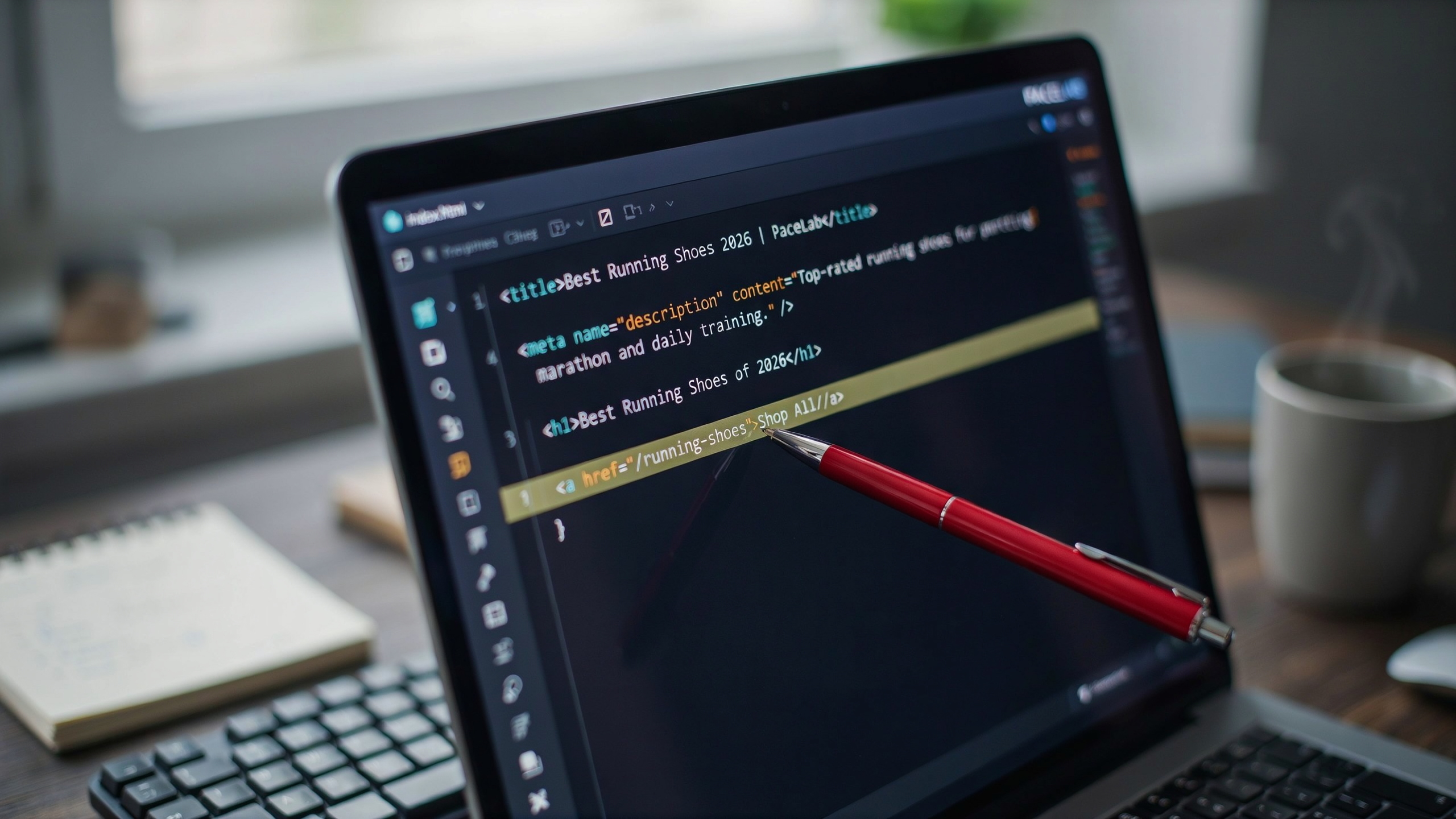
Every page that ranks well shares a handful of seo elements working together. You don't need to master all of them at once, but you do need to understand what each one does and why it matters. The three that get the most attention are title tags, meta descriptions, and H1 headings. They're the first things a search engine sees, and they're also the first things a searcher sees in the results page.
A title tag is the clickable headline in search results. It tells Google what the page is about and gives the searcher a reason to click. Keep it under 60 characters so it doesn't get cut off. A meta description is the short paragraph under the title. It doesn't directly affect rankings, but it does affect click-through rate, which sends a quality signal to Google. An H1 is the main heading on the page itself. It should match the title tag closely but can be slightly more descriptive.
| Element | Where It Appears | Primary Role | Best Practice |
|---|---|---|---|
| Title tag | Search results, browser tab | Relevance signal, click driver | Under 60 characters, include focus keyword near the front |
| Meta description | Search results snippet | Click-through rate booster | 130-155 characters, write a compelling summary with a call to action |
| H1 heading | Top of the page content | Content structure, topic confirmation | One per page, match search intent, include keyword naturally |
URL structure matters too. A clean URL like /seo-on-website tells both users and crawlers what the page covers. Avoid long strings of numbers and parameters. Use hyphens to separate words, keep it short, and include the primary keyword when it reads naturally.
Content hierarchy is the last piece. H2s and H3s break your page into scannable sections. They help Google understand the relationship between ideas and they help readers jump to the part they need. A well-structured page uses one H1, several H2s for main sections, and H3s for subtopics within those sections. This hierarchy is part of on-page seo and it's one of the easiest wins when you're optimizing an existing page.
On-Page SEO: The Foundation of Website Optimization
On-page seo is the part of search optimization you control directly. It covers everything a visitor sees on a page: the title tag, the headings, the body copy, the images, and the links between pages. When Google crawls a page, it reads those elements to figure out what the page is about and whether it deserves to rank. Get on-page seo right and you give every other ranking effort a stable base to work from.
Keyword placement is the first thing most people think of, and for good reason. Your primary keyword should appear in the title tag, the H1, the first paragraph, and at least one subheading. But placement matters more than frequency. A keyword forced into every other sentence reads badly and can trigger quality flags. Instead, place the keyword where it helps a reader understand the page's topic, then use natural variations throughout the rest of the copy.
Content depth separates pages that rank from pages that stall. A 300-word page that skims a topic rarely outranks a 1,500-word page that answers the searcher's actual question. Depth means covering subtopics, addressing common objections, and giving specific examples. It does not mean padding. Every paragraph should carry information the reader can use.
Internal linking is part of on-page seo too, even though many guides treat it as a separate discipline. The links you place inside your content tell Google which pages matter and how they relate. A page with no internal links pointing to it is an orphan, and orphan pages struggle to rank. Link from your high-authority pages to the ones you want to push, using descriptive anchor text that tells both readers and crawlers what to expect on the other side.
Image alt text rounds out the core on-page seo elements. Alt text describes an image for screen readers and for Google's image crawler. It should be specific and natural, not stuffed with keywords. A photo of a laptop showing a rank-tracking dashboard gets alt text like "rank tracking dashboard showing keyword positions," not "seo on website rank tracker seo seo."
Website optimization is the umbrella term for all of this work. When someone says they are doing website optimization, they usually mean a mix of on-page fixes, technical cleanup, and content improvements. The on-page layer is where most sites see the fastest gains because the changes are visible, measurable, and within your control. For a fuller walkthrough of each element, the On-Page SEO Guide: A Complete Walkthrough for Higher Ranking covers title tags, meta descriptions, heading structure, and more in step-by-step detail.
Technical SEO on Website: Speed, Crawlability, and Indexing
Great content can't rank if search engines can't find it, load it, or understand it. Technical SEO on website covers the infrastructure that lets Google crawl and index your pages efficiently. When these fundamentals break, even the best on-page seo gets buried.
Page speed is the first thing to check. Google uses Core Web Vitals as ranking signals, and slow pages lose both rankings and visitors. Compress images, minimize render-blocking JavaScript, and use a content delivery network. A page that loads in under two seconds keeps users engaged and signals quality to search engines.
Mobile-friendliness is non-negotiable. Google indexes the mobile version of your site first, so a desktop-only layout will underperform. Test every page on a phone, check tap targets, and ensure text is readable without zooming. Responsive design solves most of these issues in one pass.
XML sitemaps and robots.txt work together. Your sitemap lists every URL you want indexed, while robots.txt tells crawlers which areas to skip. Submit the sitemap in Google Search Console and verify that important pages aren't accidentally blocked. A single misplaced disallow rule can remove entire sections of your site from search results.
Schema markup adds structured data that helps Google display rich results like star ratings, FAQs, and breadcrumbs. Adding schema for articles, products, or local business can improve click-through rates even before rankings change. It's one of the seo elements that's easy to implement but often overlooked.
Serfix's technical audit scans for these issues automatically. It checks crawl errors, broken links, page speed, mobile usability, and schema implementation, then gives you a prioritized fix list. That's faster than manually testing dozens of pages, and it catches problems like orphan pages or duplicate meta tags that you'd otherwise miss.
Content Optimization: Writing for Searchers and Search Engines
Good content optimization starts with search intent, not keyword density. Before writing a single sentence, figure out what the searcher actually wants: are they comparing options, looking for a definition, or ready to buy? A page that answers the wrong question will never rank, no matter how many times you repeat the target phrase. Match the format to the intent. A how-to query needs numbered steps. A comparison query needs a table. A definitional query needs a clear answer in the first 60 words.
Structure matters more than most people think. Use one H1, then logical H2s and H3s that break the topic into scannable chunks. Search engines use headings to understand the hierarchy of your page, and readers use them to skip to what they need. Put your primary keyword in the H1 and at least one H2, then let the rest of the headings flow from the actual content. A solid How to Write SEO Content: A 2026 Guide to Ranking Higher walks through the full process, but the core idea is simple: write for a human first, then check the technical boxes.
E-E-A-T signals, experience, expertise, authoritativeness, and trustworthiness, are not a checklist you can fake. They come from writing that demonstrates real understanding: specific examples, honest limitations, and sources where they matter. Google's quality rater guidelines reward pages that show firsthand knowledge, so skip the generic filler and include details only someone familiar with the topic would know. A short paragraph with one concrete example beats three paragraphs of vague advice.
Freshness also plays a role, especially for topics that change quickly. Update pages when facts shift, add a visible last-reviewed date, and prune sections that no longer apply. For most websites, a quarterly review of top-performing pages is enough. This seo guide approach keeps content accurate without forcing constant rewrites. The goal is a page that stays useful, not one that chases every minor update.
Image SEO: Alt Text, Compression, and File Names
Images often account for more than half of a page's total weight, which makes them a quiet but serious ranking factor. A slow page loses visitors before the text ever loads, and Google's Core Web Vitals treat that delay as a quality signal. The fix starts with three specific moves: write descriptive alt text, compress every file before upload, and name files with plain-language keywords instead of camera defaults like IMG_4821.jpg.
Alt text serves two audiences at once. Screen readers announce it to visually impaired users, and crawlers use it to understand what an image depicts. The best alt text is a short, factual description that includes a relevant keyword only when it fits naturally. For a photo of a laptop showing a search results page, "laptop displaying Google search results for on-page seo" works. "SEO on website laptop computer screen ranking" reads like stuffing and helps no one.
Compression is where most sites lose the most speed. Tools like Squoosh or the built-in exporters in Photoshop and Figma can cut file size by 60 to 80 percent with no visible quality loss. The goal is under 100 KB for most photos and under 50 KB for simple graphics. WebP is the format to prefer: it delivers smaller files than JPEG or PNG at equal quality, and every modern browser supports it. Lazy loading adds another layer of protection by deferring off-screen images until the user scrolls near them, which keeps the initial page load fast.
File names matter too. A descriptive name like seo-audit-dashboard.png gives crawlers context before they even parse the alt text. For a deeper walkthrough of these steps, including compression settings and alt text examples, see our How to Optimize Images for SEO: The Complete Guide to Alt.
Internal Linking: The Underrated Ranking Lever
Internal links do two jobs at once. They tell crawlers which pages matter most, and they hand visitors a clear path to the next useful thing. A page with zero inbound internal links is nearly invisible to Google, no matter how good the content is. That's why internal linking belongs in any serious seo on website plan, not as an afterthought but as a structural habit.
Anchor text carries the signal. When you link from a blog post to a service page with the words "technical SEO audit" rather than "click here," you're telling Google what the destination page is about. Vary the anchors naturally. Use exact-match phrases where they fit, partial matches elsewhere, and occasional branded or generic links so the profile doesn't look engineered.
The hub-and-spoke model works well for most sites. Pick three to five pillar pages that target your biggest commercial or informational keywords. Every related article links up to its pillar, and the pillar links down to the most important supporting pages. This concentrates authority where you need it and keeps crawl depth shallow. For example, our On-Page SEO Guide: A Complete Walkthrough for Higher Ranking acts as a hub for several supporting posts, which is exactly how the model should function.
Site structure matters more than the links themselves. If your most valuable page sits four clicks from the homepage, crawlers will treat it as low priority. Flatten the architecture. Every important page should be reachable within two or three clicks from the homepage, and your navigation should reflect that hierarchy.
Serfix automates the tedious parts of internal linking. Instead of manually scanning old posts for orphaned pages or missed opportunities, the platform surfaces pages that need links, suggests anchor text based on the target page's content, and tracks which links you've already placed. That turns a recurring chore into a five-minute weekly task. If you're already using Content AI Autopilot for publishing, the internal linking suggestions slot into the same workflow.
One warning: don't overdo it. A paragraph with six links to the same page reads as spam and dilutes the signal. One or two contextual links per section is plenty. The goal is relevance, not volume.
Duplicate Content: Why It Hurts and How to Fix It
Duplicate content splits ranking signals across multiple URLs. Google doesn't penalize it directly in most cases, but it forces the crawler to choose which version to index, and it often picks the wrong one. That means your best page loses authority to a weaker copy, or a parameterized URL outranks the clean version. For ecommerce sites with faceted navigation or blogs with printer-friendly pages, this is a silent traffic leak.
The fix depends on the source. Canonical tags tell Google which URL is the primary version when you need to keep both pages live. A 301 redirect is stronger: it sends users and crawlers to one URL and consolidates the signals permanently. For near-duplicate pages that serve different audiences, a canonical is usually right. For exact duplicates, redirect.
Our How to Fix Duplicate Content: The Complete Guide for Better SEO walks through each scenario with examples, including parameter handling and www vs non-www consolidation. The core principle is simple: every piece of content should have one URL that Google can confidently index. When you remove the ambiguity, rankings stabilize and crawl budget goes to pages that actually matter.
SEO Audit for Website: Finding What's Broken
A technical audit is the fastest way to spot what's holding back your seo on website. Most sites have at least a few crawl errors, orphan pages, or missing meta tags that quietly suppress rankings. The process doesn't need to be complicated, but it does need to be systematic. Start with crawlability, then move through on-page elements, content quality, and finally performance signals.
Begin by checking whether Google can actually reach every page you care about. Look for 404s, redirect chains, and pages blocked by robots.txt or noindex tags that shouldn't be. A crawl report will surface these quickly. Broken internal links waste crawl budget and frustrate users, so fix or remove them early. If your site has thousands of URLs, a manual check won't scale, which is why an automated SEO Audit for Website: The Essential Step-by-Step Guide approach saves hours of guesswork.
Next, audit your metadata. Every indexable page needs a unique title tag under 60 characters and a meta description that actually describes the page. Duplicate titles across product or category pages are common and easy to miss. Thin content is another silent killer: pages under 300 words with no clear intent often get crawled but never ranked. Flag them for consolidation or expansion.
Serfix's automated audit tool runs these checks across your entire site in one pass, pulling live Google Search Console data alongside crawl diagnostics. You'll see broken links, missing alt text, slow pages, and duplicate content in a single dashboard. That beats exporting a dozen spreadsheets and stitching the picture together by hand. Run the audit monthly, fix the highest-impact issues first, and watch how quickly your seo on website improves.
Rank Tracking: Measuring SEO on Website Performance
Rank tracking tells you whether the work you put into seo on website actually moves the needle. Without it, you're guessing. A keyword can sit at position 11 for weeks and you'd never know it was one small change away from page one.
Start with the metrics that matter. Position is the obvious one, but don't stop there. Track impressions and clicks from Google Search Console, because a keyword ranking at position 8 with a 12% click-through rate is often worth more than one at position 3 with 2%. Average position alone hides that story. Watch the trend over 30 and 90 days, not the daily wobble.
How often should you check? For most sites, weekly is the right cadence. Daily checks create noise and encourage reactive changes that do more harm than good. Monthly reviews are too slow when a competitor publishes something that knocks you down. Weekly gives you enough signal to act without chasing every fluctuation.
Serfix pulls live Google Search Console data directly into its rank tracking, so you see real query data alongside tracked positions. That combination matters because GSC shows what people actually searched, while a rank tracker shows where you landed for the queries you chose to monitor. The two rarely match perfectly, and the gap between them is where you find quick wins.
For a deeper look at setting up a tracking routine that catches ranking shifts before they become traffic losses, our The Rank Tracking Guide for Monitoring SEO Performance walks through the full workflow, from picking the right queries to reading position volatility the way an SEO does.
Automating SEO on Website with Serfix
Manual SEO on website work eats hours. Keyword research, content briefs, publishing checklists, rank checks. Serfix turns that into a connected workflow. The platform's Content AI Autopilot starts with a topic, pulls live Google Search Console query data, and drafts an outline with the exact on-page seo elements your page needs. You review, edit, and publish from one screen.
Here's a real workflow from a small ecommerce site. The owner wanted to rank for a product category that had flat traffic for six months. Inside Serfix, she opened the content planner and selected the category keyword. The tool generated a brief with title options, a suggested H2 structure, and internal link targets pulled from existing posts. She approved the brief, and the AI wrote a first draft in under two minutes. She tightened the intro, added two product examples, and published. Serfix then tracked the page's position daily and flagged a drop from position 9 to 14 two weeks later. The alert pointed to a thin paragraph that competitors had expanded. She added 120 words, and the page recovered within five days.
That loop, research, draft, publish, track, fix, is what manual SEO on website rarely sustains. Serfix's 47 AI tools cover the smaller jobs too: meta description rewrites, alt text generation, duplicate content checks, and schema markup suggestions. The Content AI Autopilot ties them together so you don't hop between five browser tabs. For a team managing 20 or 50 pages, the time savings compound fast. You still make the editorial calls. Serfix handles the repetitive parts and surfaces the data you'd otherwise miss.
One honest trade-off: automation drafts are a starting point, not a finished page. You'll edit for voice, add specific examples, and verify claims. But starting from a structured draft beats a blank screen every time, and the rank tracking closes the loop so you know what actually moved.
Frequently Asked Questions
How long does SEO on website take to show results?
Most sites see meaningful movement in 3 to 6 months. New domains often need longer because they lack authority and backlinks. Technical fixes can lift rankings within weeks, while content and link building compound over time. Consistent work beats sporadic bursts.
What is the difference between on-page SEO and technical SEO?
On-page SEO covers elements you control directly on each page: titles, headings, content, internal links, and image alt text. Technical SEO handles crawlability, indexing, site speed, and structured data. Both feed into the same goal, but they fail differently and need separate fixes.
How many SEO elements should I optimize on each page?
Focus on the core set: title tag, meta description, one H1, logical H2s and H3s, a keyword-rich first paragraph, internal links, and optimized images. Trying to perfect every possible signal on every page usually wastes time. Fix the basics first, then measure.
Does website optimization require a developer?
Not always. Many on-page changes live in your CMS, and tools like Serfix handle technical audits without touching code. You'll need a developer for deeper issues like server configuration or complex JavaScript rendering. Start with what you can change yourself.
How often should I run an SEO audit on my website?
A full audit every quarter works for most sites. Run a lighter check monthly if you publish frequently or make regular template changes. After any major redesign, migration, or CMS update, audit immediately. Automated tools make this far less time-consuming than it used to be.
Can I do SEO on website without paid tools?
Yes, but it's slower. Google Search Console and PageSpeed Insights cover a lot of ground for free. The trade-off is manual work and missed issues. Paid platforms like Serfix surface problems faster and track rankings automatically, which matters more as your site grows.